The June 2024 release of Strategy ONE introduced a new dashboard formatting setting, which allows users to lock a dashboard's page size. However, following the implementation of this new setting in Strategy Library Web, users have reported their inability to see the ‘View Mode’ dropdown on the Menu Bar to toggle between views.
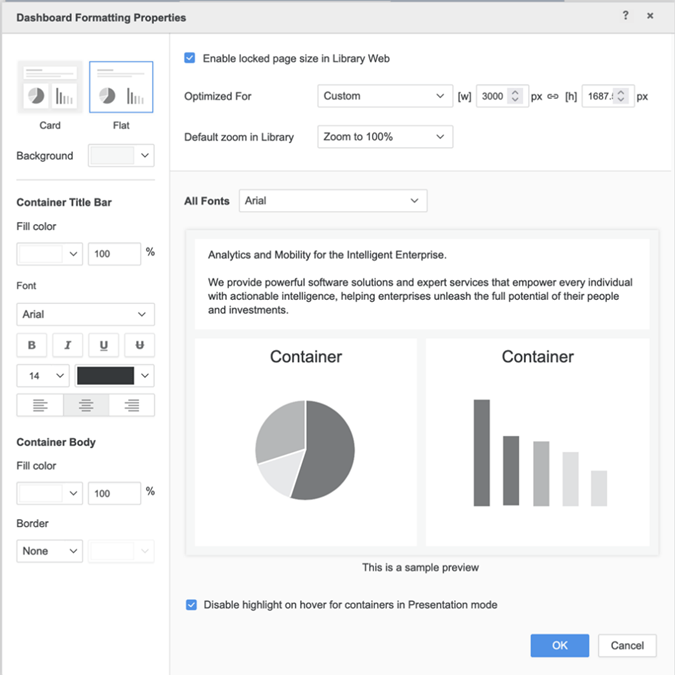
"Enable locked page size in Library Web"

"Fit to View", "Fill the View", "Zoom to 100%"
This issue arises because the 'View Mode' option is not enabled by default and it needs to be manually activated in Strategy Workstation.
In order to enable the "View Mode" dropdown for Dashboards in Strategy Library Web, follow the steps below:
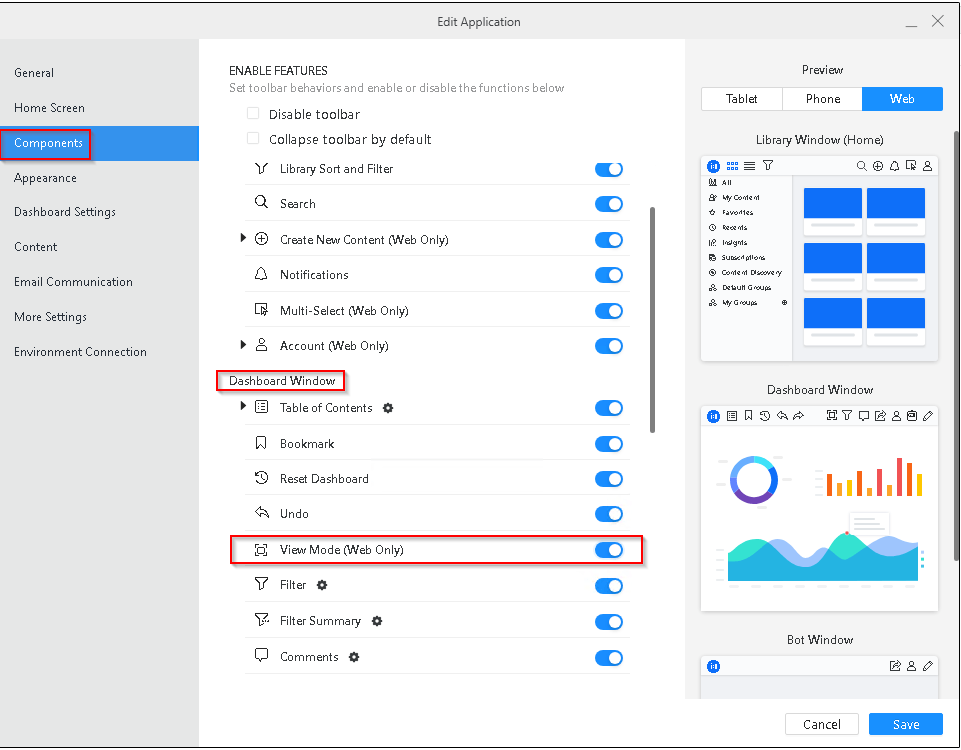
After completing these steps, users might need to reauthenticate or clear Web caches to enable the ‘View Mode’ setting on Library consumption mode.
