Sometimes Reports and Dashboards are taking an excessively long time to execute, while the Queries behind these reports and dashboards can be seen to execute in very less time. When looking at the platform Analytics report, the problem seems to be related to the job Step type 'Resolution Server' of the report execution. It appears that the issue is down to resolving system prompts / meta data which indeed populating values in a Security Filter. Testing with a static Security Filter shows that the dashboards and report perform as expected.
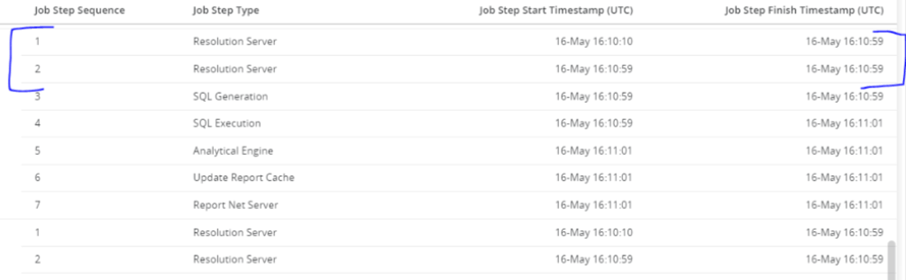

There is no discernible performance issue when generating a user or having the user login to Library. The performance hit is only noticed during prompt resolution, and users cannot see any activity on the database side while prompt resolution is taking place. Once the prompt is resolved and dashboard executes, only then users can we see a generated query going against the database.
Resolution Server traces will show the number of node dependents which will be in huge numbers; hence this would be the reason the prompt resolution is hanging
Performance issues are seen which is caused by the System Prompt during Prompt Resolution due to huge number of node dependents created.
The direct root cause is the large number of prompt instances which can be seen in the resolution server traces and leading to the performance issue. A huge number is coming from multiple edits of the filter. Each time security filter's expression is validated, the modeling service will copy and add all prompt instances from new validation expression to original security filter.
Hence, at each time validating security filter's expression or updating expression using tokens (which could only be triggered by API user), the modeling service will copy and add all prompt instances from new validation expression to original security filter. It will copy and add all prompt instances without checking duplication. After validation, PUT security filter API would keep all these prompt Instances. Too many prompt instances would make resolution time-consuming.
