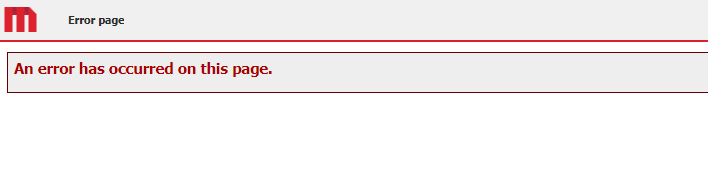
While configuring the Intelligence server from the Strategy Web Admin page section, after clicking "connect" error “An error has occurred on this page” is encountered.
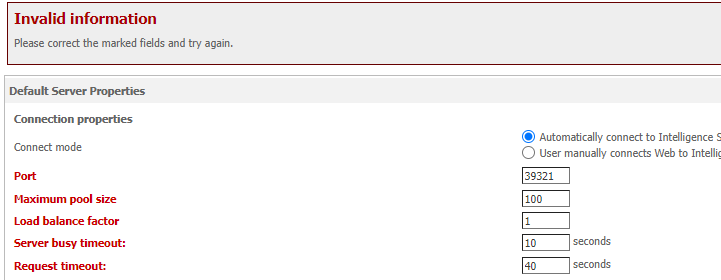
After editing the connection parameters from the I-server or default properties it shows the error
“Invalid information, please correct the marked fields and try again”
Image of the I-server section showcasing error at port, maximum pool size, and Load balance factor:
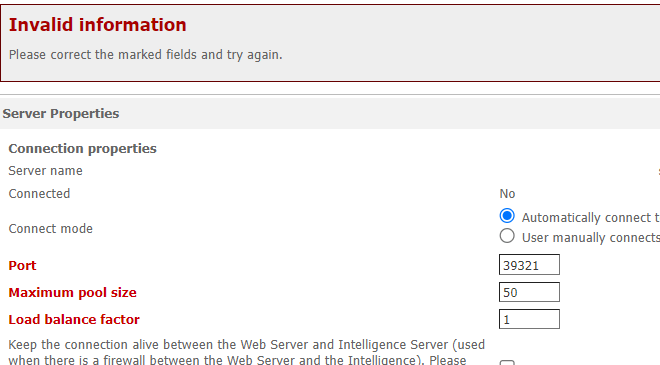
Image of the default properties section showcasing error at the port, maximum pool size and Load balance factor, server busy, and request timeout.
In general, this behavior should be related to the Locale setting. For example, if a customer uses French, (hose grouping separator is space) this will generate an issue when trying to communicate these parameters to the backend.
Some users will indicate this did not happen in the older versions and this is true due to the fact that In current versions of MSTR Web we upgraded from Java 8 to Java 11 (now is Java 17), and the default behavior was changed. Now the -Djava.locale.providers setting was introduced and is necessary to be included in setenv.sh or setenv.bat to prevent odd behaviors like the one described above.
The following article (impact of JDK 11 on the Strategy 2021 certification) displays documentation about the change
https://community.strategy.com/article/Impact-of-JDK-11-on-the-MicroStrategy-2021-certification?language=en_US
To apply the fix go to the area How to upgrade to AdoptOpen JDK 11 and set the JRE locale data and follow the instructions of one of these sections (the pertinent one)
After the changes restart the application server.
