EducationSoftwareStrategy.com
StrategyCommunity

Knowledge Base

Product

Community

Knowledge Base

TopicsBrowse ArticlesDeveloper Zone

Product

Download SoftwareProduct DocumentationSecurity Hub

Education

Tutorial VideosSolution GalleryEducation courses

Community

GuidelinesGrandmastersEvents
x_social-icon_white.svglinkedin_social-icon_white.svg
Strategy logoCommunity

© Strategy Inc. All Rights Reserved.

LegalTerms of UsePrivacy Policy
  1. Home
  2. Topics

KB487042: OIDC authentication mode is inactive and returns “Error in login” although it has been configured properly


Katarzyna Olszewska

Senior Cloud Support Engineer III • MicroStrategy


This knowledge base article describes a possible reason for OIDC appearing inactive and how to fix it.

Symptom

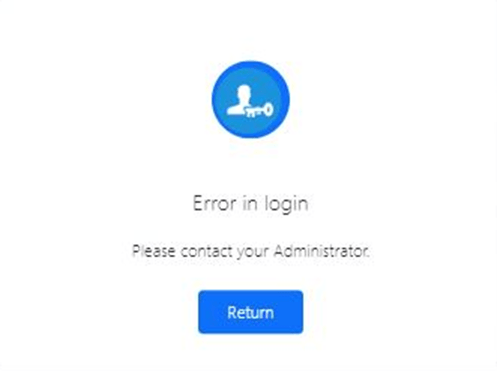
When users access Strategy Library using the OIDC authentication mode, they are not redirected to the IdP’s login page but get the “Error in login” error.
ka0PW0000003rPZYAY_0EMPW00000Dfmlx.jpeg


Cause

A possible cause of the issue is a typo in the scopes section.
The best source of information is StrategyLibrary-default.log which can be found at “C:/Program Files (x86)/Common Files/MicroStrategy/Log/” by default. In a scenario outlined above we can see following error message:

{"@timestamp":"2024-10-25T10:07:40.548Z","@version":"1","message":"Failed to load OIDC config","logger_name":"com.Strategy.auth.oidc.config.OidcConfig","thread_name":"main","level":"ERROR","level_value":40000,"stack_trace":"java.lang.IllegalArgumentException: scope \"offline access\" contains invalid characters\n\tat org.springframework.util.Assert.isTrue(Assert.java:111)\n\tat

There is also a request to load configuration using Issuer URL +”/.well-known/openid-configuration” URL pattern.
{"@timestamp":"2024-10-25T10:07:40.286Z","@version":"1","message":"HTTP GET <ISSUER_URL>/.well-known/openid-configuration","logger_name":"(...)


Checking it manually in a browser we can see that there is a name mismatch: OIDC configuration used “offline access” while it should be “offline_access”: 

ka0PW0000003rPZYAY_0EMPW00000Dfmyr.jpeg


Action

After correcting the typo and restarting the Web Server, authentication should work as expected. 


Comment

0 comments

Details

Knowledge Article

Published:

November 26, 2024

Last Updated:

November 26, 2024