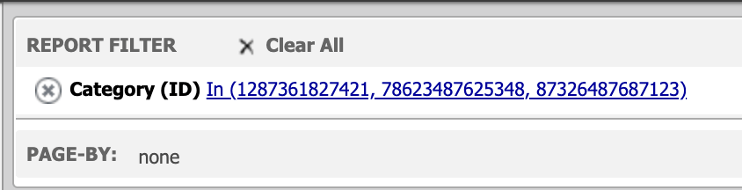
In Strategy Web, a report filter can be used to determine which data should be included or excluded from the report results. However, after adding a report filter with large numeric values such as 1287361827421 and 78623487625348 and executing the report, the report filter unexpectedly converts these values into negative numbers (e.g. -2147483648), as shown below.
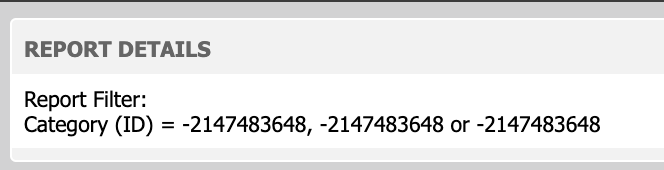
This issue occurs because the entered values are causing an integer overflow for the specified data type in the column alias of the attribute.
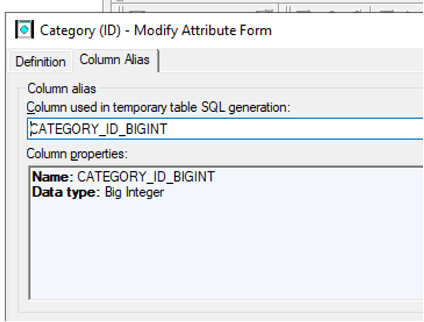
Update the column alias of the attribute to Big Integer as seen below and update schema. If the report was saved with the negative values, the report filter will need to be edited to input the correct values again.