EducationSoftwareStrategy.com
StrategyCommunity

Knowledge Base

Product

Community

Knowledge Base

TopicsBrowse ArticlesDeveloper Zone

Product

Download SoftwareProduct DocumentationSecurity Hub

Education

Tutorial VideosSolution GalleryEducation courses

Community

GuidelinesGrandmastersEvents
x_social-icon_white.svglinkedin_social-icon_white.svg
Strategy logoCommunity

© Strategy Inc. All Rights Reserved.

LegalTerms of UsePrivacy Policy
  1. Home
  2. Topics

KB487898: When clicking on the "Add External Data" button in MicroStrategy Web, nothing happens


Cesar Mota

Senior Cloud Support Engineer III • MicroStrategy


Users may encounter in MicroStrategy Web an issue regarding the "Add External Data" button. When clicking on it to start the process of importing data, nothing happens, like if the button were unresponsive. This KB Article explains the reason and provides a workaround.

Symptom

The following issue was observed after an upgrade to Strategy December 2024. Users may encounter in Strategy Web an issue regarding the "Add External Data" button located in the home folder of Strategy Web. When clicking on it to start the process of importing data, nothing happens, like if the button were unresponsive. This makes importing data not possible.
 

Steps to Reproduce

  1. Log in to Strategy Web.
  2. Log in to a project.
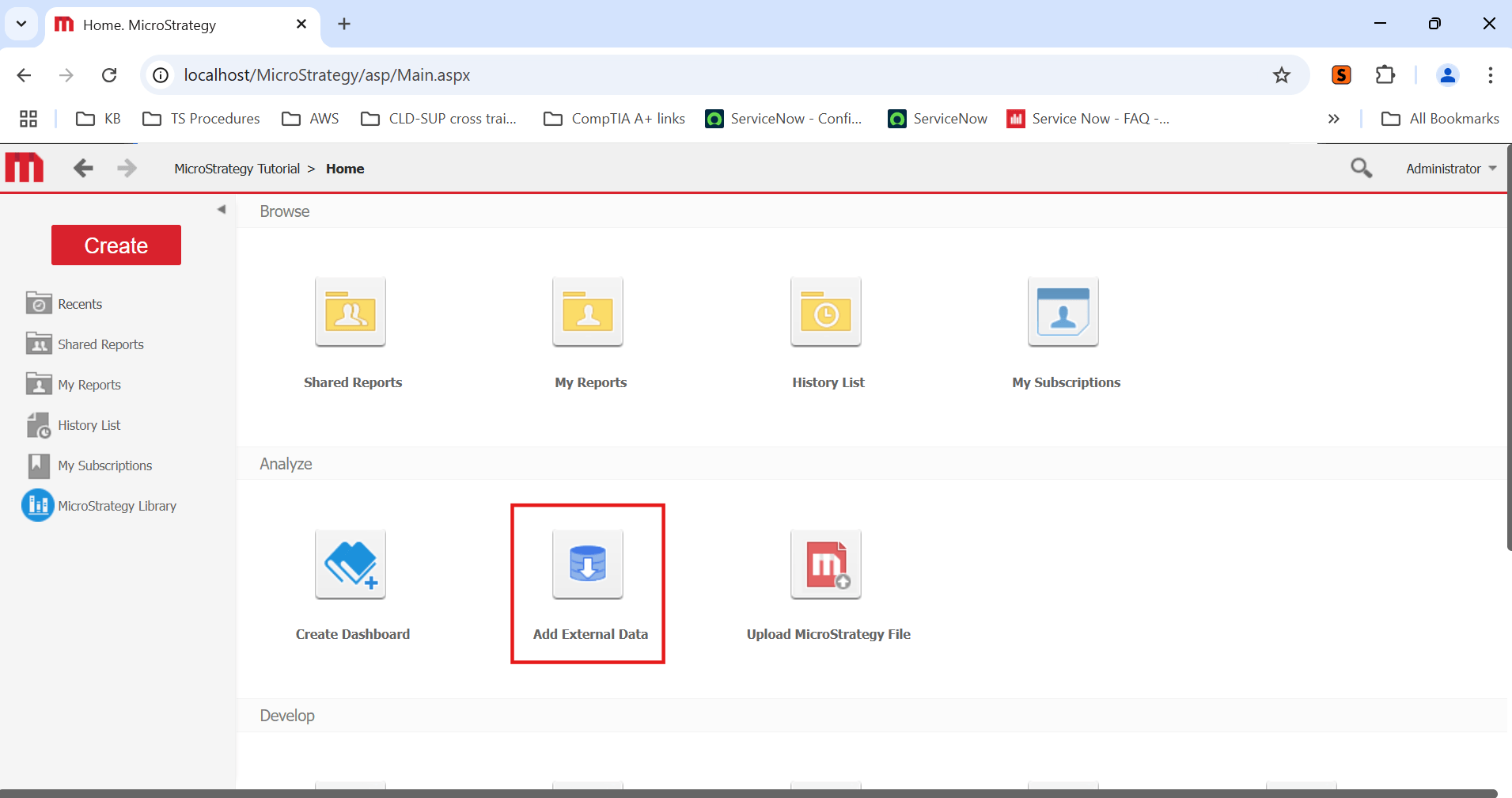
  3. Click on the "Add External Data" button of the home folder of Strategy Web: Nothing happens.


Cause

The presented issue has been identified as a defect when the following conditions are met:
  • Strategy Web is deployed on Internet Information Services (IIS).
  • A recent upgrade to Strategy December 2024 version took place.
  • It affects the "Add External Data" button located in the home path, as shown in the screenshot below.
ka0PW00000051GPYAY_0EMPW00000Jo5uP.jpeg


Solution

The mentioned conditions above means that the issue will not happen in Strategy December 2024 in these scenarios:
  • If Strategy Web is not deployed on Internet Information Services (IIS), but on other supported/certified Web Application Servers like Tomcat and JBoss. The "Add External Data" button located in the home path works as usual.
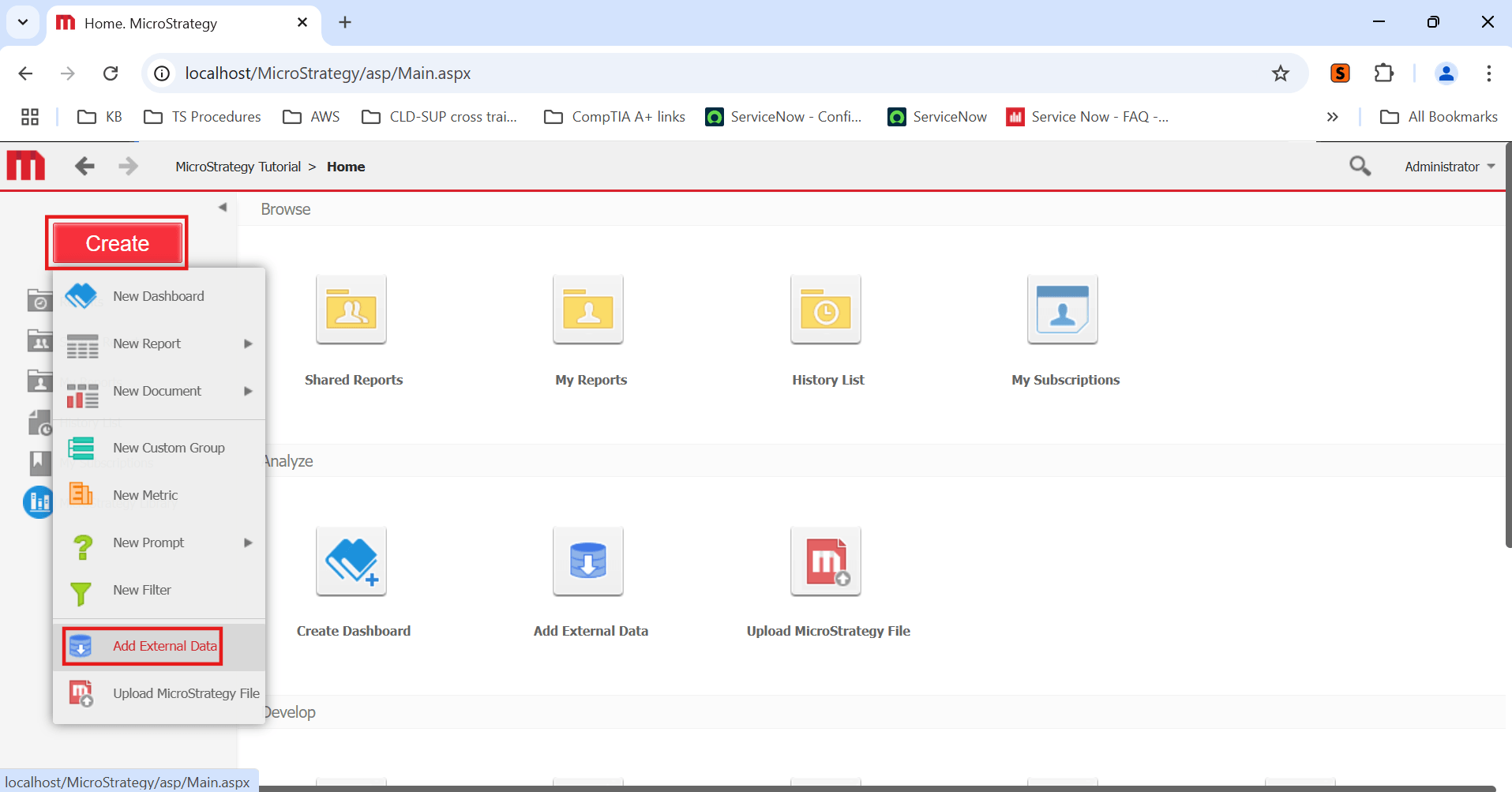
  • If the "Add External Data" button under the "Create" button is used (screenshot below), it will work even in IIS.
ka0PW00000051GPYAY_0EMPW00000Jo6Gz.jpeg

Comment

0 comments

Details

Knowledge Article

Published:

March 19, 2025

Last Updated:

March 19, 2025