EducationSoftwareStrategy.com
StrategyCommunity

Knowledge Base

Product

Community

Knowledge Base

TopicsBrowse ArticlesDeveloper Zone

Product

Download SoftwareProduct DocumentationSecurity Hub

Education

Tutorial VideosSolution GalleryEducation courses

Community

GuidelinesGrandmastersEvents
x_social-icon_white.svglinkedin_social-icon_white.svg
Strategy logoCommunity

© Strategy Inc. All Rights Reserved.

LegalTerms of UsePrivacy Policy
  1. Home
  2. Topics

KB488519: Using Relay State as Redirect URL on Library Web SAML Single Sign-On


Zhenhua Xie

Software Engineer, Principal • MicroStrategy


You can use Relay State as the SAML login redirect in Library Web. See the following steps to configure it.

Enable SAML SSO Redirection Through Relay State

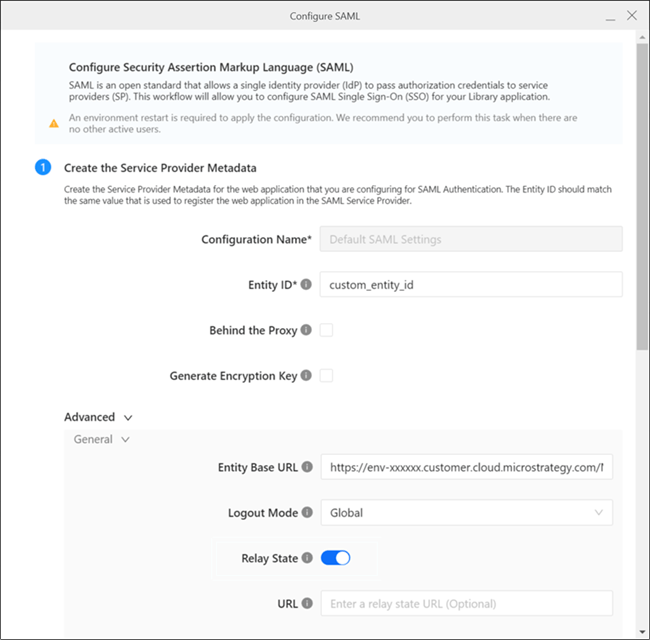
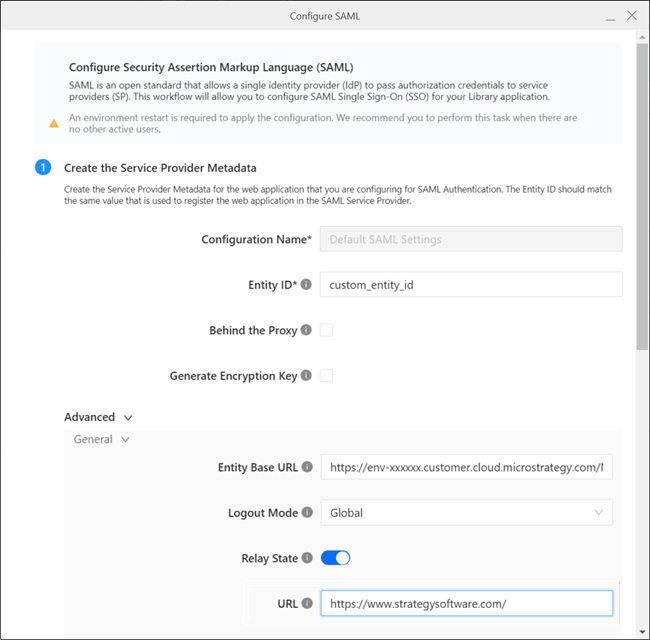
You can enable relay state redirection in Workstation SAML config by turning on the Relay State option. When enabled, Library web will treat Relay State as a URL and perform the redirection when the login succeeds.
ka0PW0000005ThJYAU_0EMPW00000LdpWR.jpeg

The URL for redirect supports both the absolute URL and the relative path. The following formatted values are valid:

  • https://www.strategysoftware.com/

  • https://mobiledossier.Strategy.com/StrategyLibrary/app/EC70648611E7A2F962E90080EFD58751/1730E9598F436BF38B0F4589D5E5484A

  • /app/EC70648611E7A2F962E90080EFD58751/1730E9598F436BF38B0F4589D5E5484A

Configure Redirection for SP-Initiated Single Sign-On

In SP-Initiated SSO, the relay state is provided by Library web, which is also configured in Workstation via the URL field.
When this field is configured, accessing Library web pages to login will redirect to the specific relay state URL.

Configure Redirect for IDP-Initiated Single Sign-On

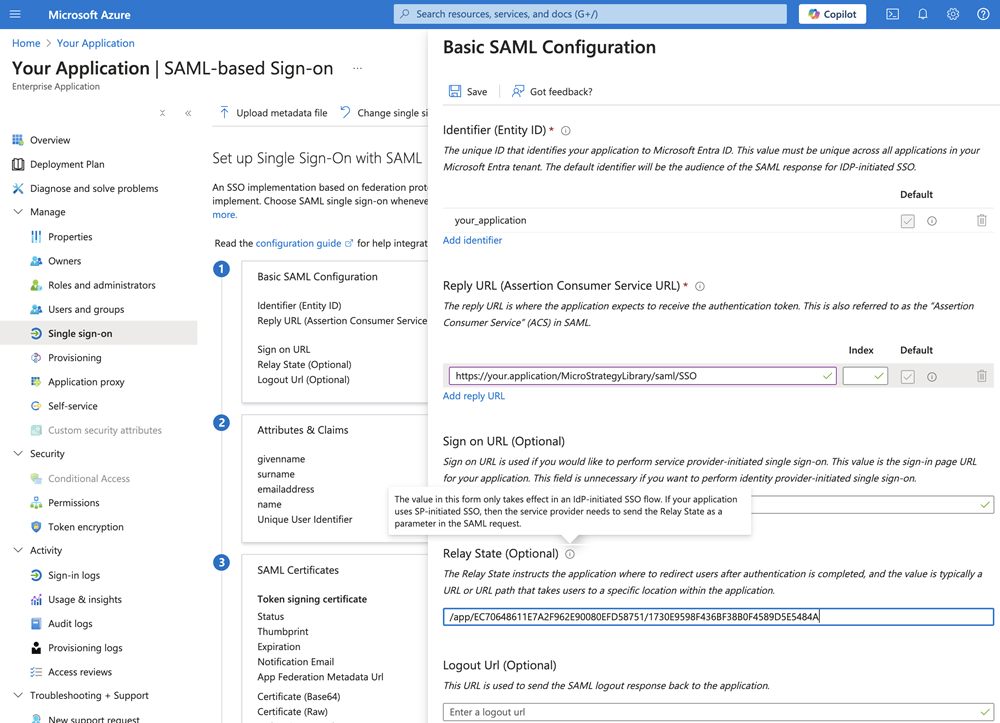
In IDP-Initiated SSO, the relay state is provided by IDP configuration. The configuration may vary depending on the IDP providers.
ka0PW0000005ThJYAU_0EMPW00000Le5eP.jpeg

Example: Azure

  • In Azure, the relay state configuration is under your SAML application: Manage > Single sign-on >Basic SAML Configuration.

ka0PW0000005ThJYAU_0EMPW00000LdZec.jpeg
  • Edit the relay state and save your changes.
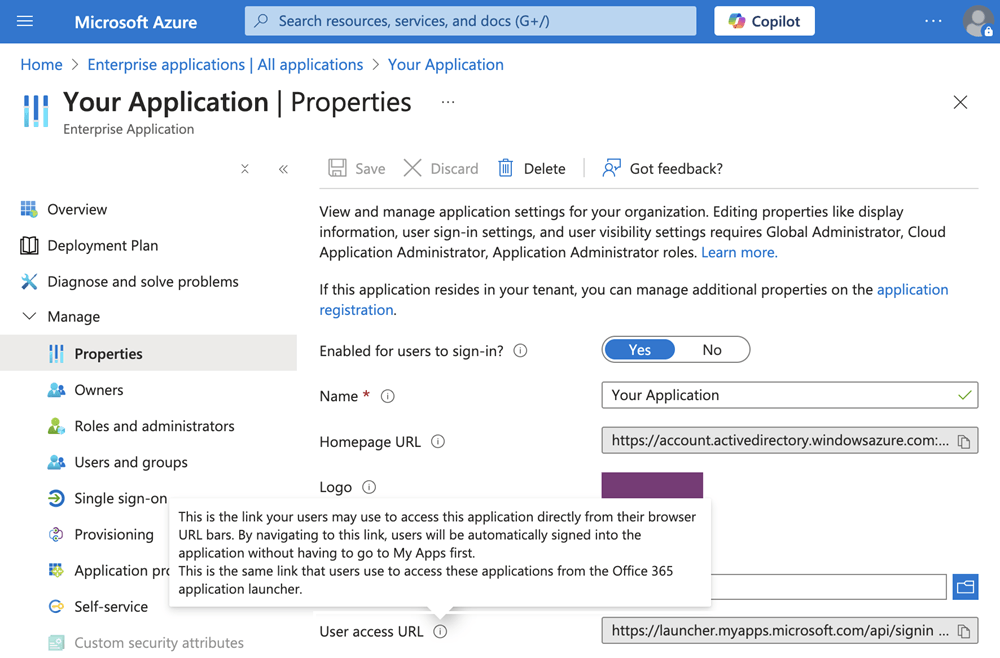
  • The IDP-initiated SSO entry can be found in your SAML application: Manage > Properties > User Access URL.

ka0PW0000005ThJYAU_0EMPW00000LdxQl.jpeg
  • By default, you can use this URL to access your Library web server; with your relay state redirect enabled, the Library server passes the relay state value from the SAML request as a URL and performs additional redirects accordingly.


Comment

0 comments

Details

Knowledge Article

Published:

April 11, 2025

Last Updated:

April 18, 2025