Smart totals are useful for compound metrics that calculate a 'percentage to total' value. If a compound metric does not use smart totals, the data returned to the report may not make sense.
The smart metric property of a compound metric allows you to change the default evaluation order of the metric. Smart metrics calculate subtotals on individual elements of the compound metric. For example, a smart metric uses the formula Sum (Metric1) / Sum (Metric2) rather than Sum (Metric1/Metric2).
To enable or disable Smart Totals in Strategy Developer, follow the steps below:

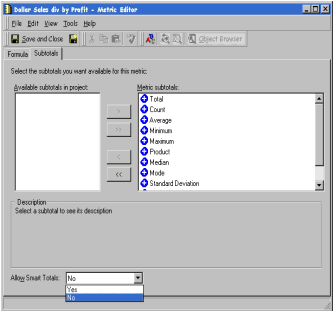
NOTE: If the above drop down list is disabled, the metric is not a compound metric and so smart totaling does not apply.
