EducationSoftwareStrategy.com
StrategyCommunity

Knowledge Base

Product

Community

Knowledge Base

TopicsBrowse ArticlesDeveloper Zone

Product

Download SoftwareProduct DocumentationSecurity Hub

Education

Tutorial VideosSolution GalleryEducation courses

Community

GuidelinesGrandmastersEvents
x_social-icon_white.svglinkedin_social-icon_white.svg
Strategy logoCommunity

© Strategy Inc. All Rights Reserved.

LegalTerms of UsePrivacy Policy
  1. Home
  2. Topics

KB489526: The Cache Monitor is unable to perform partial filters in Workstation July 2025


Shane Winslow

Cloud Support Expert I • MicroStrategy


The cache monitor filter performs searches using exact matches instead of "contains" therefore it might not return results for partial object names unless the "Load All Data" option is enabled. This behavior has been fixed in the latest version, Workstation September 2025.

Symptom:

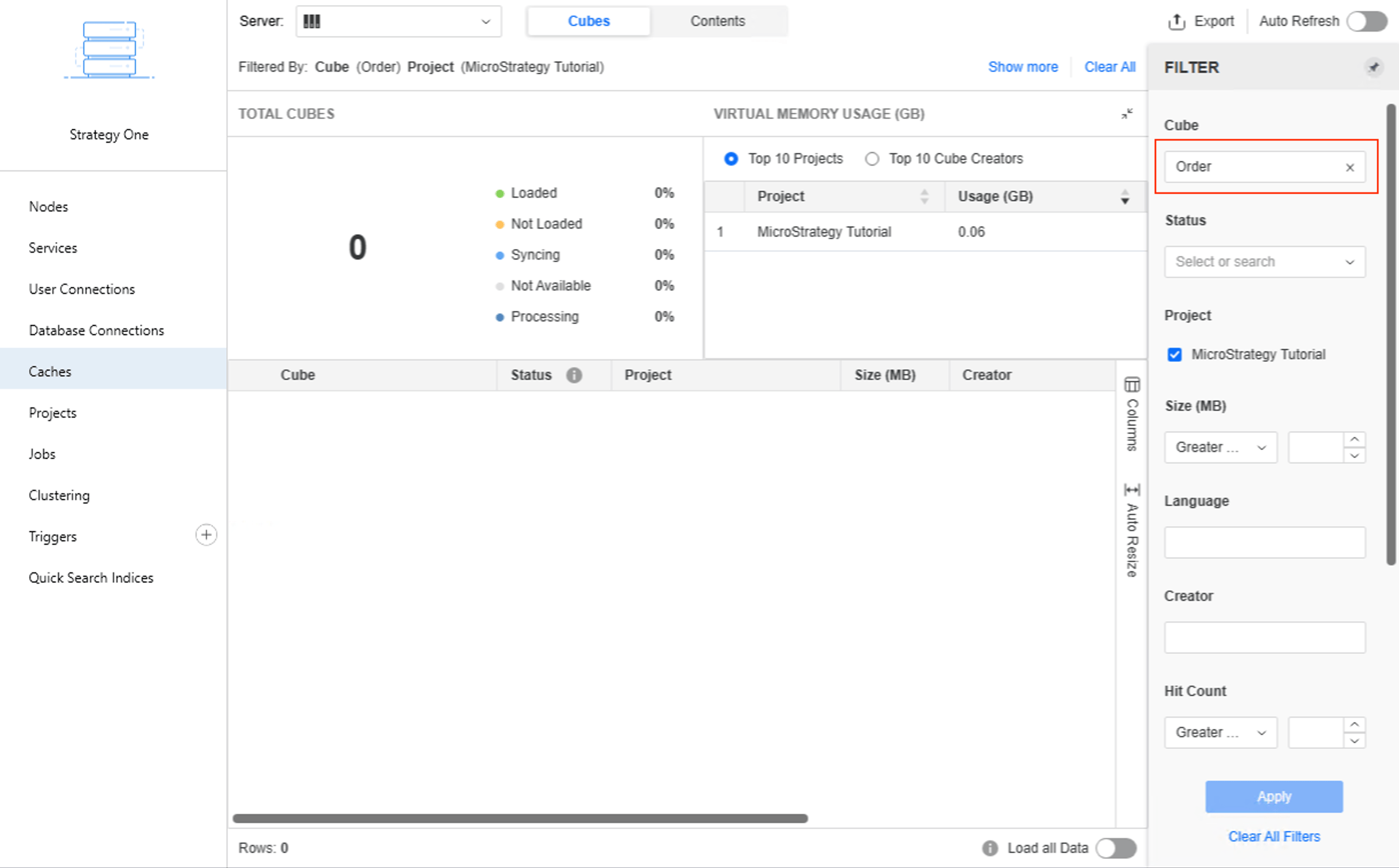
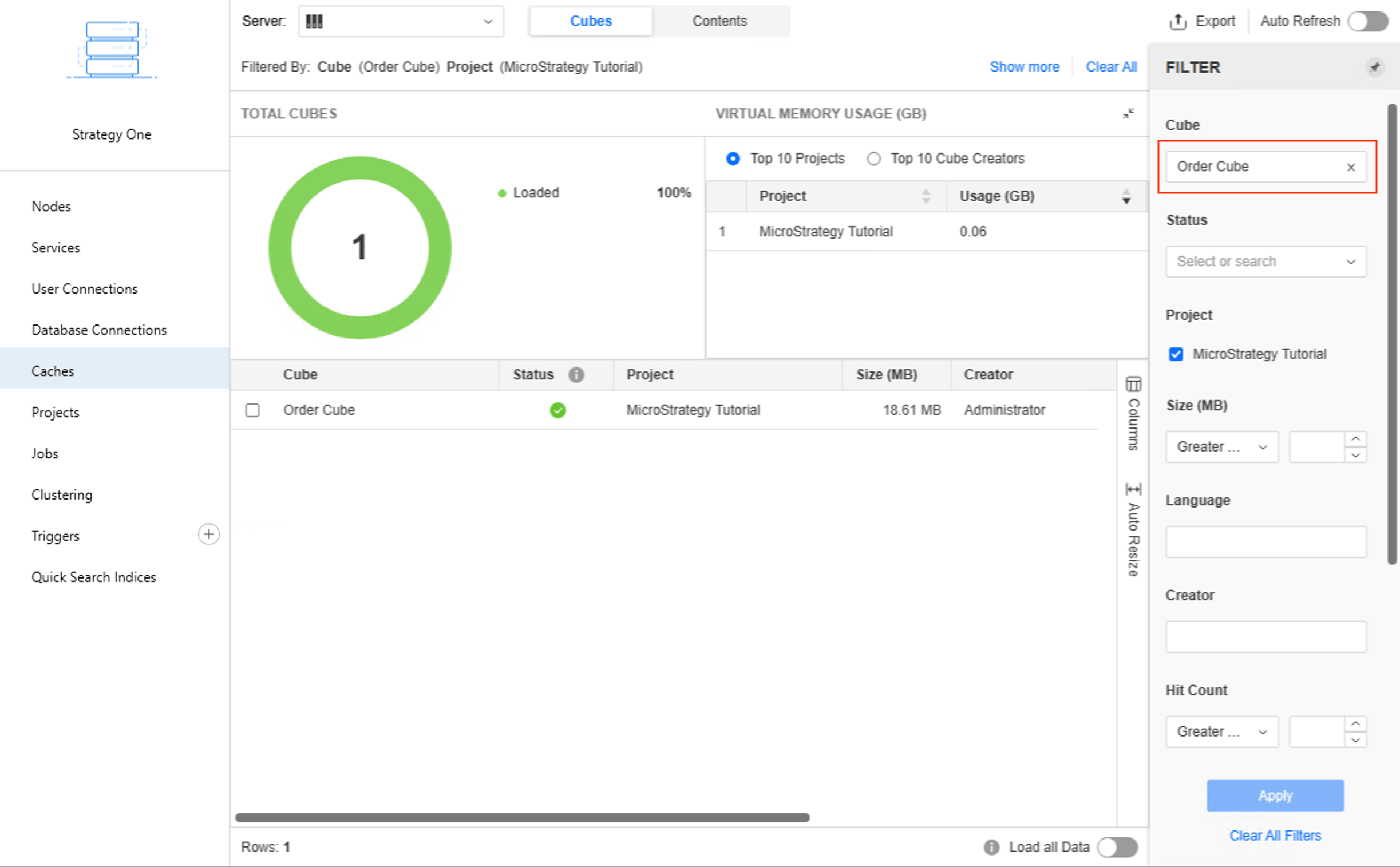
While using the cache monitor in Workstation July 2025, users may encounter unexpected results when attempting to filter cubes using partial cube names. For example, filtering with the keyword "Order" to locate the cube named "Order Cube" will return a cube named "Order" but will not return the cube named "Order Cube."
ka0PW0000007BunYAE_0EMPW00000VZZsI.jpeg


One would have to enter the full cube name "Order Cube" in the filter to see the cube.
ka0PW0000007BunYAE_0EMPW00000VZYGI.jpeg


Steps to Reproduce:

  1. Connect to a Strategy Tutorial environment with Workstation July 2025.
  2.  Navigate to Monitors > Caches.
  3.  Search for "Order" in the filter.
  4. Notice no cubes are returned.
  5. Enable the "Load all Data" setting.
  6. Notice the cube Order Cube is now returned.


Cause:

This is an identified defect in Workstation July 2025 where the search is performing an exact match instead of a "contains" type of search, therefore partial cube names are not appropriately matched during filtering.


Solution:

This defect is fixed in Workstation September 2025. Upgrade Workstation to take advantage of the fix.

Workaround:

 Enable the “Load all Data” option at the bottom.

ka0PW0000007BunYAE_0EMPW00000WPr3W.jpeg

Comment

0 comments

Details

Knowledge Article

Published:

September 25, 2025

Last Updated:

September 25, 2025