EducationSoftwareStrategy.com
StrategyCommunity

Knowledge Base

Product

Community

Knowledge Base

TopicsBrowse ArticlesDeveloper Zone

Product

Download SoftwareProduct DocumentationSecurity Hub

Education

Tutorial VideosSolution GalleryEducation courses

Community

GuidelinesGrandmastersEvents
x_social-icon_white.svglinkedin_social-icon_white.svg
Strategy logoCommunity

© Strategy Inc. All Rights Reserved.

LegalTerms of UsePrivacy Policy
  1. Home
  2. Topics

KB489586: "The object shown in the following hierarchy no longer exists in schema: -Relation-Attribute:Object is not found in DFCSchema during DFC conversion." Error When Updating a Project Schema


Qing Liu

Product Owner, Senior • MicroStrategy


When updating a project schema, you may encounter a "The object shown in the following hierarchy no longer exists in schema: -Relation-Attribute:Object is not found in DFCSchema during DFC conversion." error. See the following information on the error and steps to take.

Symptom 1: Project Schema Update

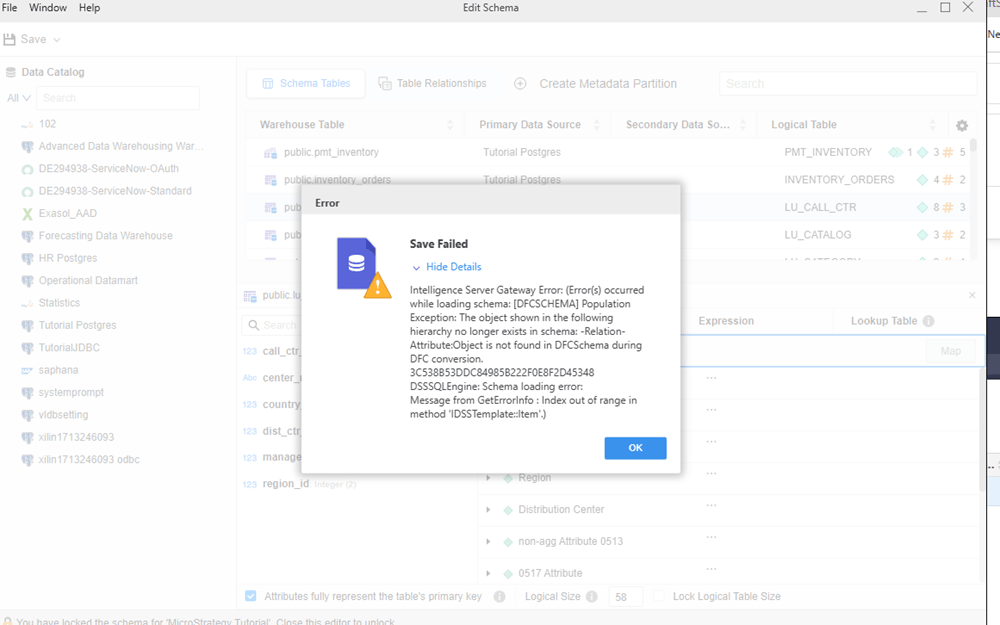
When performing a project schema update in Workstation, the following error displays:
ka0PY000000LcyLYAS_0EMPY00000Sz7dy.jpeg

Error(s) occurred while save and updating schema: Intelligence Server Gateway Error: (Error(s) occurred while loading schema: [DFCSCHEMA] Population Exception: The object shown in the following hierarchy no longer exists in schema: -Relation-Attribute:Object is not found in DFCSchema during DFC conversion. 3C538B53DDC84985B222F0E8F2D45348 DSSSQLEngine: Schema loading error: Message from GetErrorInfo : Index out of range in method 'IDSSTemplate::Item'.)


Symptom 2: Project Schema Reload

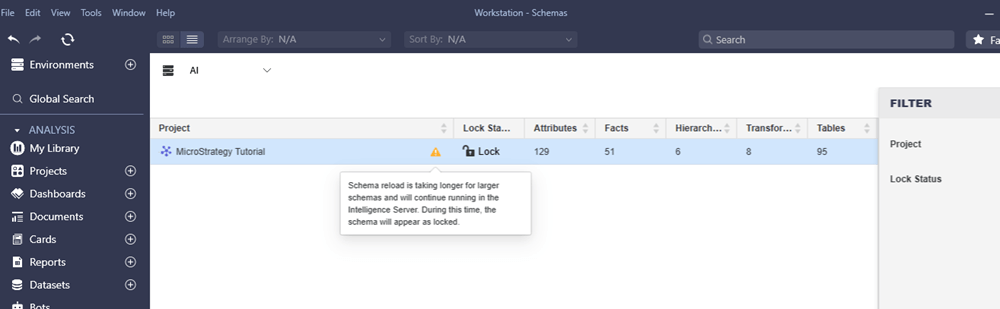
When reloading a project schema in Workstation, the following error displays:
ka0PY000000LcyLYAS_0EMPY00000SzDbJ.jpeg

Encounter the error when reloading the schema: Schema reload is taking longer for larger schemas and will continue running in the Intelligence Server. During this time, the schema will appear as locked.


Cause

This is a metadata inconsistency as time attributes created using the Save As option in Workstation are not added to the schema object, therefore schema updates fail.


Action

Delete attributes created using the Save As option and use Copy instead.


Comment

0 comments

Details

Knowledge Article

Published:

December 17, 2025

Last Updated:

December 17, 2025