A question object is a set of questions answered on a per user basis to define preference objects. Strategy Narrowcast Server 9.x - 10.x uses preference objects to deliver personalized information, ensuring that users receive only their specified information. With Personalized Report Execution, a separate SQL query for each recipient is sent to the Strategy Intelligence Server using the subscriber's preference objects to define the 'WHERE' clause in the SQL query.
Using Strategy Developer, create a report in the project defined as 'Information Source' in Strategy Narrowcast Server.
Users need to consider the questions they wish to make to the subscribers of the Strategy Narrowcast service. Then, they should create an attribute element prompt for each question.
For example, if a service that sends users information on when the users favorite bands are in town is created, users need to create an attribute element prompt 'Choose Band' and 'Choose City'.
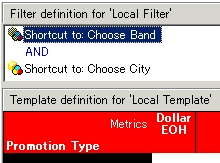
Sample definition for a report defined as a question object
Define the report as a question object in Strategy Narrowcast Administration Console.
In the Strategy Narrowcast Administration Console, create a new question object and browse to the report previously defined. In the object browser, check 'Personalized report execution.'
Associate the question object with a relevant content information object
The question object should include all prompt objects in the information object. Question objects are specific to the information source from which it is defined. Therefore, users can only associate question objects with information objects from the same information source.
Using the above example, the information object included is a Strategy Developer report showing bands, the city and dates of their concert, and ticket price. Include prompts for band and city in the information object report and the question report to ensure that the subscriber receives only requested information.
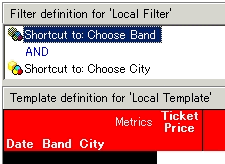
Sample definition of report defined as an information object
To associate the previously defined question object with this information object, in the Information Object Wizard, go to Advanced Properties and check the box "Gather preferences using a question object". Then select the question object that will be used.

When Strategy Narrowcast Server Delivery Engine executes a service containing this information object, it submits each user's preference objects to the Strategy Intelligence Server. This allows for the prompts contained in the information object to be answered at run time.
To define the user's preference object for the question object:
In the Strategy Narrowcast Administration Console, edit the user and go to User Properties Editor, Preference tab.
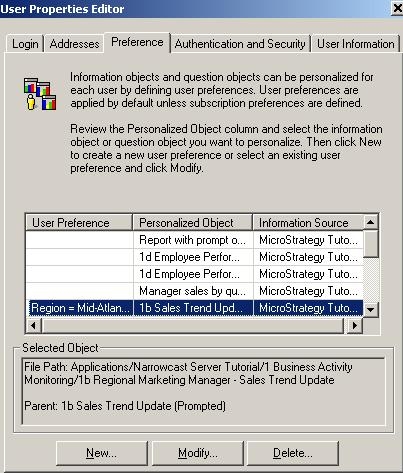
Under preference, select "New" to answer the prompt associated to the question object with this user. This will bring up the Strategy Desktop prompt resolution interface for each of the prompts that were included in the question object.
If the designer added the question object created in Step 3 above, the designer would, then, be prompted to select any number of bands and cities, defining this user's preference objects for band and city.
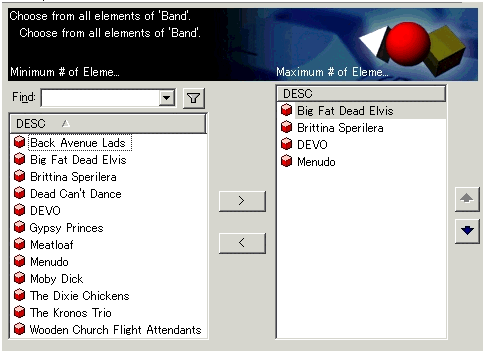

Sample Prompt Resolution
Defining a user’s preference objects as above, whenever a service containing an information object that is associated with this question object is executed, the results for this user will be filtered to include only the relevant data. That is, the SQL generated will include:
WHERE band in ("Big Fat Dead Elvis", "Brittina Sperilera" , "DEVO", "Menudo")
AND city in ("Akron", "Columbus")
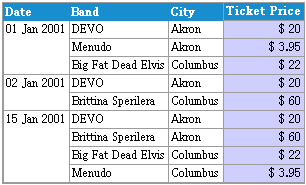
Sample HTML Report received by end user
NOTES:
