To create a metric that ignores Custom Groups in Strategy Desktop 8.x, users must follow the procedures below.
An example of a report that uses this type of metric is as follows:


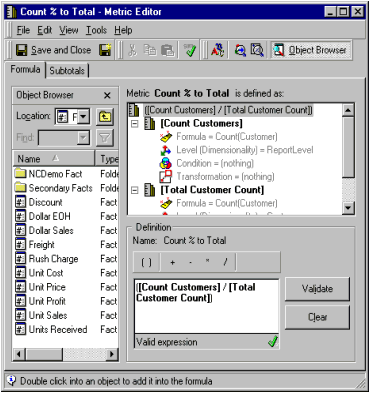
NOTE: Names of metrics, attributes and hierarchy used in this document are based on the example report shown earlier. They need to be changed depending on the report users wish to create.
If attributes used in the custom group's elements come from different hierarchies, then all the relevant hierarchies should be included in the metric's dimensionality.
KB5233
