Job Prioritization allows an administrator to prioritize a project based on Cost, User Groups, Request Type, Application Type and Projects. Perform the following steps to open the interface.
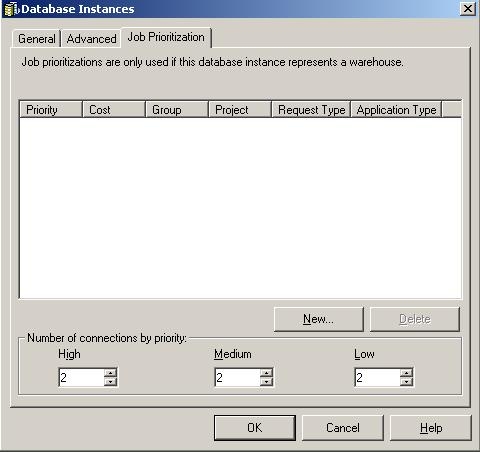
Perform the following steps to open the 'Job Prioritization Wizard'.


Now when a user from user group 'Customer' runs a report, it will be treated with a high priority in Strategy Intelligence Server.
Note: If user group 'Customer' is set to 'High' and a Project entry 'Strategy Tutorial' is set to 'Low' and a user from 'Customer' requests a job from 'Strategy Tutorial', the request will be treated as 'High' priority. If a user from another user group runs the same request, it will be treated as 'Low' priority. The higher priority settings take precedence in this case.
Strategy Intelligence Server Project Administrator can set a number of different entries in Job Prioritization for Projects, Cost (reports), Request Type, Application Type and/or other User Groups.
Priority by Job Cost (see below) is associated with the priority factor set to each priority entry (i.e., the number of jobs per 1000 to be included in each entry.

