The ApplyAggregate, or ApplyAgg() function, can be used to bypass the SQL parser with mathematical functions.
EXAMPLE:
Consider a situation in which a metric must be created and that will sum values; however, it should only sum the values where an attribute tag is set to a desired value. For instance, say that there exists an attribute that lists a payment as being received, or not, and this metric should count how much money is owed.
It would, then, be necessary to sum all values where the payment is listed as not received, and consider the others as being equal to zero.
This could be achieved with an ApplyAggregate of the following structure:
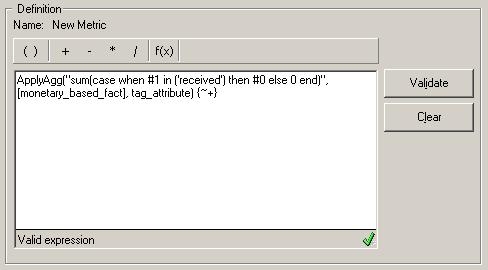
ApplyAgg("sum(case when #1 in ('received') then #0 else 0 end)", , tag_attribute) {~+}
This Metric definition creates the following SQL:
sum(case when tag_attribute in ('received') then monetary_based_fact else 0 end)
