SYMPTOM:
When they run a report in Strategy Developer 9.x, users see the following error message:
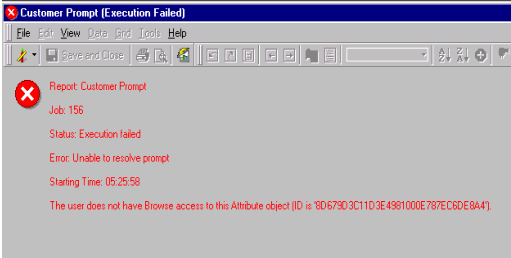
'Error: Unable to resolve prompt. The user does not have Browse access to this Attribute object'
The Administrator user is able to run the report.
CAUSE:
This error occurs because users do not have the proper permissions to a particular attribute that is contained in the prompt.
ACTION:
To resolve this issue, the Administrator must give to users the appropriate permissions. To do this:
