SYMPTOM:
When configuring Strategy Enterprise Manager 9.x, the following error message is seen after users choose a DSN to connect to the Strategy Enterprise Manager Warehouse from the Tools > Options menu under the DSN tab.
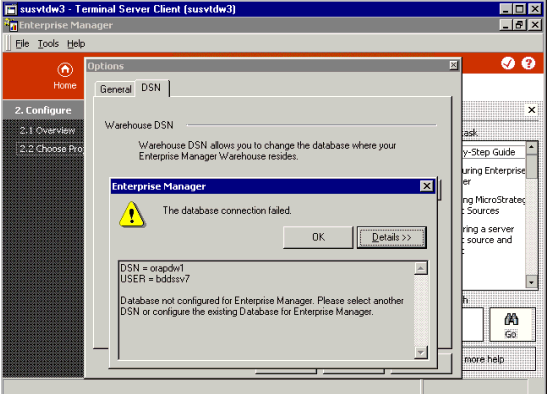
"The database connection failed.
DSN = ORAPDW1
USER = BDDSSV7
Database not configured for Enterprise Manager. Please select another DSN or configure the existing Database for Enterprise Manager."
CAUSE:
One possible cause is that the login and password used in the DSN do not have access to the Strategy Enterprise Manager warehouse tables in the database.
ACTION:
This issue can be solved in two different ways:
