The heap is a location in memory used by the Java Virtual Machine (JVM). From the Oracle Java Virtual Machine Specification Java SE 7 Edition, the heap is described as:
The Java Virtual Machine has a heap that is shared among all Java Virtual Machine threads. The heap is the run-time data area from which memory for all class instances and arrays is allocated. The heap is created on virtual machine start-up. Heap storage for objects is reclaimed by an automatic storage management system (known as a garbage collector); objects are never explicitly deallocated. The Java Virtual Machine assumes no particular type of automatic storage management system, and the storage management technique may be chosen according to the implementor's system requirements. The heap may be of a fixed size or may be expanded as required by the computation and may be contracted if a larger heap becomes unnecessary. The memory for the heap does not need to be contiguous.

A Java Virtual Machine implementation may provide the programmer or the user control over the initial size of the heap, as well as, if the heap can be dynamically expanded or contracted, control over the maximum and minimum heap size. The following exceptional condition is associated with the heap:

- If a computation requires more heap than can be made available by the automatic storage management system, the Java Virtual Machine throws an OutOfMemoryError.
Since the JVM heap size is not part of the Strategy Web application itself, it cannot be modified through the Strategy Web interface. Instead, certain application server or operating system level modifications must be made to adjust this parameter. If you need help getting started, first check with your application server vendor for the right set of instructions. For users who have Strategy Web deployed on Tomcat or IBM WebSphere, Strategy Technical Support offers the following guides:
For adjusting the JVM heap size on IIS 7.x running on a 32-bit or 64-bit machine, follow the below instructions:
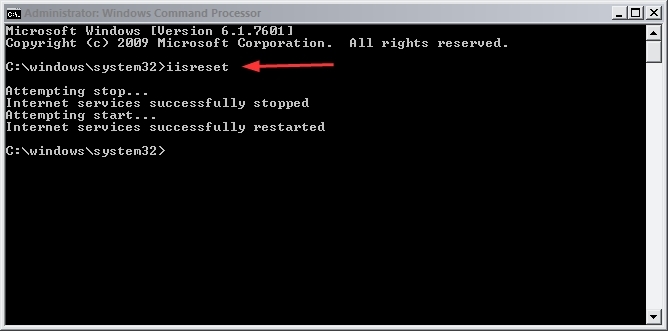
Registry Modification:
WARNING:
Modifying registry values incorrectly may cause serious, system-wide problems that may require the re-installation of the Microsoft Windows operating system. Any edit of the registry is done at the user`s own risk. Since these are user-initiated changes, they are not covered by any Strategy warranty. If using a Microsoft Windows operating system, the user should backup the registry and/or update an Emergency Repair Disk (ERD) prior to alterations.
