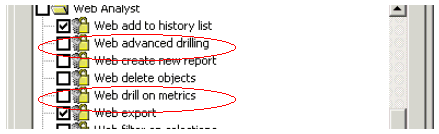
In the Strategy User interface, there are three privileges related to drilling in Strategy Web 9.x:

1] Web Drill:
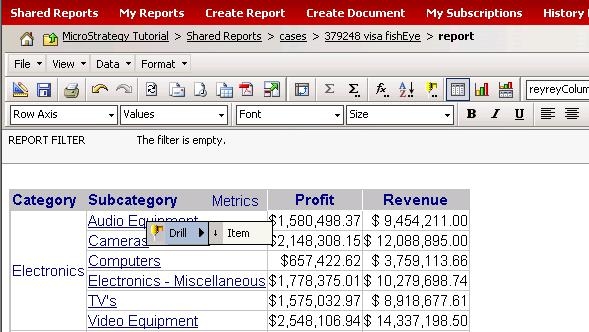
Web Drill allows users the most basic of drilling ability available in Strategy Web. This includes drilling down the default drill map of a project in Strategy Web via both the hyperlink and pop-up menu methods, and drilling back up the default drill map through the drill menu in the report tool bar.
2] Web Advanced Drilling:
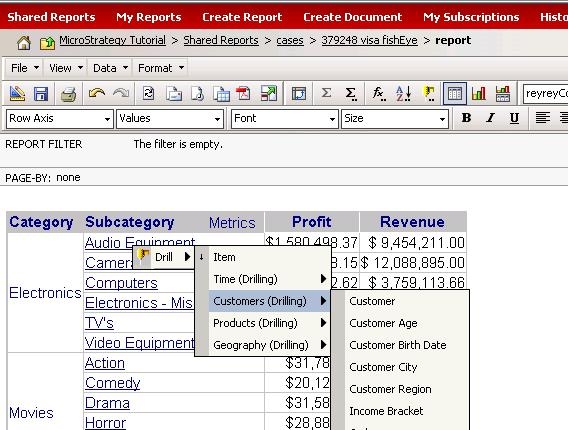
This allows users a bit more flexibility. Users can drill within hierarchies that do not contain the attribute on which they are drilling. This can be done either through the Pop-up window method of drilling, or through the report toolbar by selecting 'More options'.
3] Web Drill on Metrics:
This allows users to drill down to the base metrics making up a compound metric. When this is selected, the base metrics appears on the report.

NOTE: If these metrics are already present, the option to drill on the metric is disabled.
KB6693
