In the Strategy Web 9.x and 10.x administration page, when users click on the 'modify' link under the 'properties' column, the 'load balance factor' setting in the 'server property detail' is displayed as shown below:
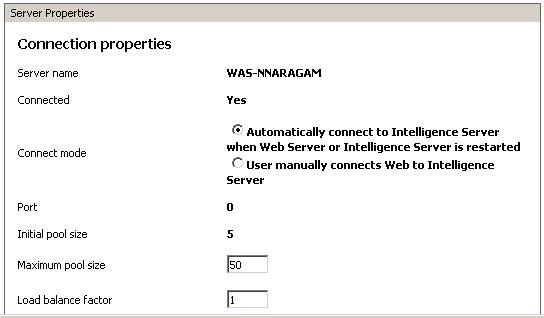
What does the 'Load Balance Factor' represent?
This setting becomes relevant in an environment that has a Strategy Intelligence Server cluster. By default, the load balance factor is 1. The value can be increased on more powerful servers in a cluster to provide an appropriate balance. A larger load balance factor means the current server consumes a greater load in the server cluster in which it resides.
EXAMPLE:
In a cluster made up of two servers, one server with a balance factor of 3 and the other with a balance factor of 2; and there are 20 logins, then 12 logins will be supported by the first server and eight by the second.
