EducationSoftwareStrategy.com
StrategyCommunity

Knowledge Base

Product

Community

Knowledge Base

TopicsBrowse ArticlesDeveloper Zone

Product

Download SoftwareProduct DocumentationSecurity Hub

Education

Tutorial VideosSolution GalleryEducation courses

Community

GuidelinesGrandmastersEvents
x_social-icon_white.svglinkedin_social-icon_white.svg
Strategy logoCommunity

© Strategy Inc. All Rights Reserved.

LegalTerms of UsePrivacy Policy
  1. Home
  2. Topics

KB7008: How to use the Subscription Book Synchronization Wizard in MicroStrategy Narrowcast Server


Community Admin

• Strategy


Strategy Narrowcast Server includes a Subscription Book Synchronization Wizard that allows the synchronization of users, addresses and their properties with the information in external sources.
 
To launch the Subscription Book Synchronization Wizard, select 'Synchronize Subscription Data' from the Tools menu of the Narrowcast Administrator (Or also click on the 'Synchronize Subscription Data' button from the toolbar).
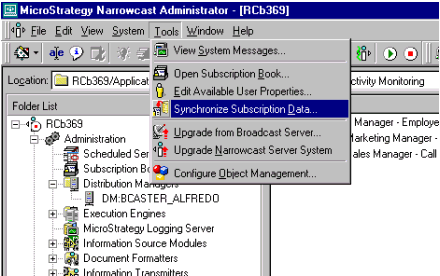
ka04W000000OeYcQAK_0EM440000002Bvn.gif

 
The wizard guides the administrator through nine steps that are explained below along with images for each section.
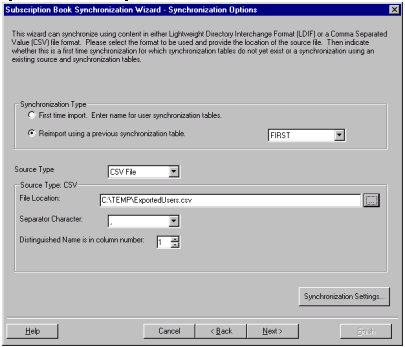
  • Set Synchronization Options: Defines the source for subscription information and how this information should be used during the synchronization process.
ka04W000000OeYcQAK_0EM440000002Bvo.gif
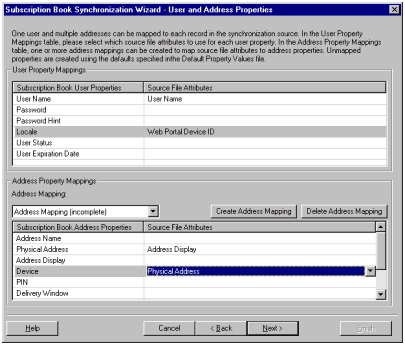
  • Map User and Address Properties: Define how attributes present in the source file should be used to define user and address properties.
ka04W000000OeYcQAK_0EM440000002Bvf.gif
  • Define Subscriptions: Define to which subscription sets each address should be subscribed based on the information available in the source file.
ka04W000000OeYcQAK_0EM440000002Bvw.gif
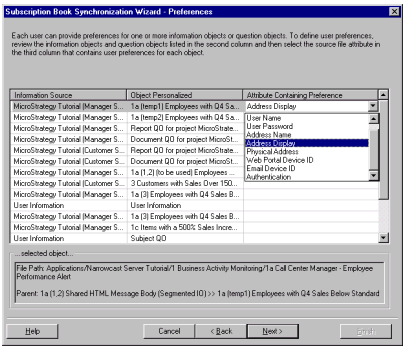
  • Define Preferences: Define user preferences for any desired information objects and question objects based on the information available in the source file.
ka04W000000OeYcQAK_0EM440000002Bvu.gif
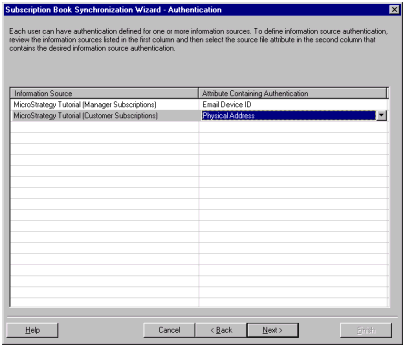
  • Define Authentication: Define information source authentication for each user based on the information available in the source file.
ka04W000000OeYcQAK_0EM440000002Bvg.gif
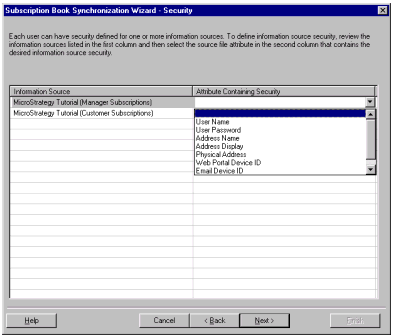
  • Define Security: Define information source security for each user based on the information available in the source file.
ka04W000000OeYcQAK_0EM440000002Bvi.gif
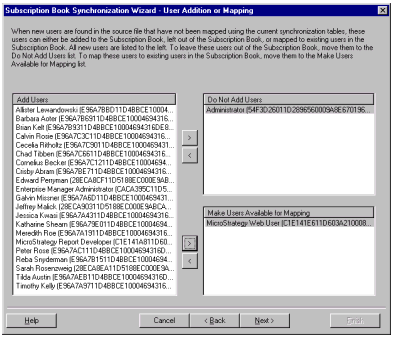
  • Add or Map Users: When new users are found in the source file, control which users are added and which users are mapped to existing users.
ka04W000000OeYcQAK_0EM440000002Bvv.gif
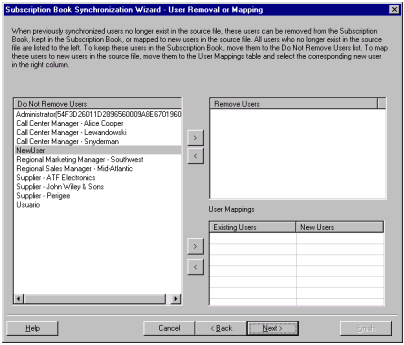
  • Remove or Map Users: When existing users are not found in the source file, control which users are removed and which users are mapped to new users.
ka04W000000OeYcQAK_0EM440000002Bvx.gif
  • Review Changes: Review the proposed updates to the Subscription book and either commit the updates or go back and change the settings.
ka04W000000OeYcQAK_0EM440000002Bvp.gif


Comment

0 comments

Details

Knowledge Article

Published:

June 7, 2017

Last Updated:

June 7, 2017