EducationSoftwareStrategy.com
StrategyCommunity

Knowledge Base

Product

Community

Knowledge Base

TopicsBrowse ArticlesDeveloper Zone

Product

Download SoftwareProduct DocumentationSecurity Hub

Education

Tutorial VideosSolution GalleryEducation courses

Community

GuidelinesGrandmastersEvents
x_social-icon_white.svglinkedin_social-icon_white.svg
Strategy logoCommunity

© Strategy Inc. All Rights Reserved.

LegalTerms of UsePrivacy Policy
  1. Home
  2. Topics

KB7500: How does the 'lock column and row headers' work in MicroStrategy Developer 9.x and 10.x


Stefan Zepeda

Salesforce Solutions Architect • Strategy


KB7500: How does the 'lock column and row headers' work in MicroStrategy Developer 9.x and 10.x

 
When scrolling down on a long report, users sometimes forget which metric values belong to which metric names, locking the headers will keep the metric (or attribute) names on the report when scrolling down or across.
 
 
To lock the row or column headers, follow the steps below:

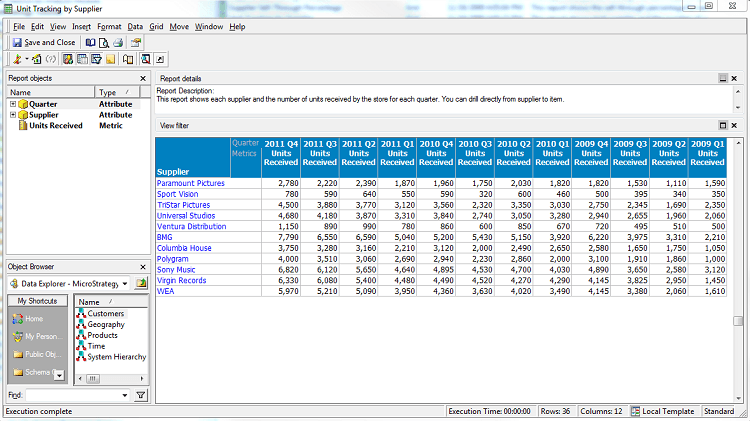
  1. Run a report that contains several rows and columns.
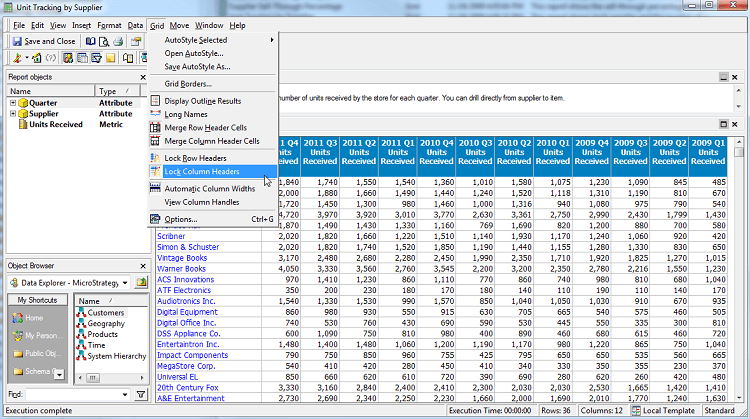
  2. From the Grid menu, select 'Lock Column Headers'.
  3. When scrolling down the report, the column headers are locked and, therefore, always visible.


Repeat the procedure to 'Lock Row Headers'.


ka02R000000kbfCQAQ_0EM440000002G9d.png


ka02R000000kbfCQAQ_0EM440000002G9b.png

Comment

0 comments

Details

Knowledge Article

Published:

June 12, 2017

Last Updated:

June 12, 2017