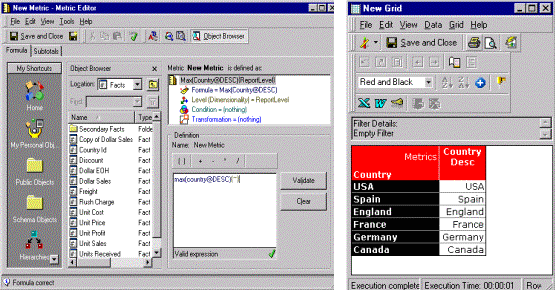
The following example shows how to create a metric that displays attribute values in Strategy Developer.
In the New Metric Editor, manually add the metric definition using this expression: max(<attribute>@<form>){~}
The new metric below will display the DESC column of the Country attribute and was created using the metric definition: max(country@DESC){~}