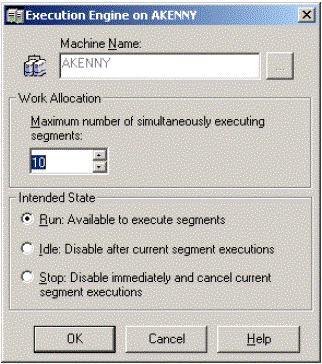
'Maximum number of simultaneously executing segments' and 'Maximum segments per execution' are settings in Strategy Narrowcast Server 9.4.x-10.x.
The setting in the Execution Engine editor (shown below) refers to the maximum number of segments that can run at one time. For example, if this setting was 10 and there were 100 segments to be executed the first 10 would go to the Execution Engine and the other 90 would remain in the queue. Once one of the segments finished execution then another segment would be loaded into the Execution Engine from the queue.
The setting in the System Governing tab (shown below) refers to the maximum number of Segments that a service can be divided into. For example, if the segment size for a service was set to 1 and there were 10,000,000 recipients in the subscription set, then the server would perform 10,000,000 executions. This could be considered an excessive load for the execution of one service. By putting a maximum value, users can prevent services such as these from running. If this setting were set to 100,000, then users would need to change the segment size to 100 for the service in this example to run.

