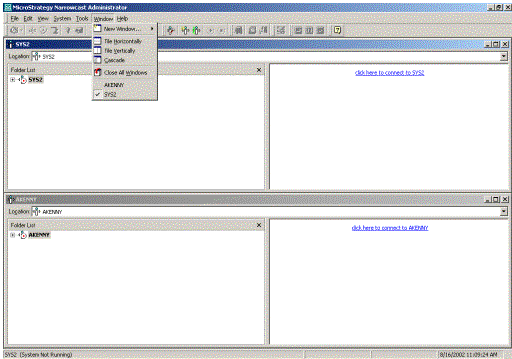
In Strategy Narrowcast Server a single Strategy Narrowcast Server Administrator machine can be used to administrate multiple Strategy Narrowcast Server system. The user can simply register as many systems as they want and each system can be accessed through a separate window.
To register a system in Strategy Narrowcast Server, go to the 'System' menu and select 'Register an existing system'.

Select the Data Source Name (DSN) that points the database where the users' system lies.
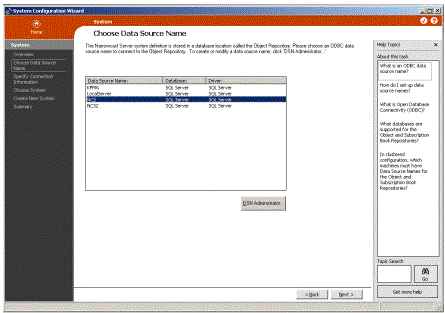
Enter the database user name and password and select the prefix used when creating this system.
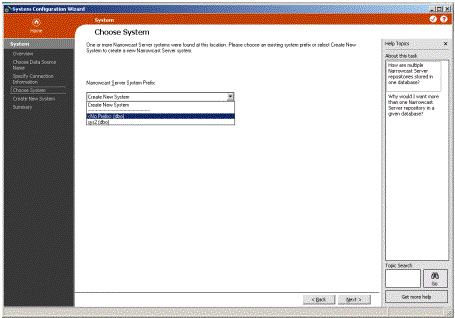
Finish out the wizard and repeat for each additional system that to register. Use the 'Window' menu to switch between systems.
To move objects between systems, please refer to the Strategy Knowledge Base article KB7615.
