The Plaintext tab allows users to choose whether the selected device supports plain text content. If plain text is chosen to be supported, the user is presented with a drop-down list of available plain text document formatters. This option also contains the following tabs:
Grid Formatting
Allows the user to pad grid cells and the options for doing so. The 'Grid Formatting' option also allows users to separate columns and select which characters to use as the separators.

Cell Padding
Padding grid cells improves formatting by allocating a specific amount of space for each column so they align properly. 'Cell Padding' is a process by which the length of the strings in a column are made equal in length through the use of tab-aligning characters and white-space characters. This option also allows users to select the characters with which to pad cells.
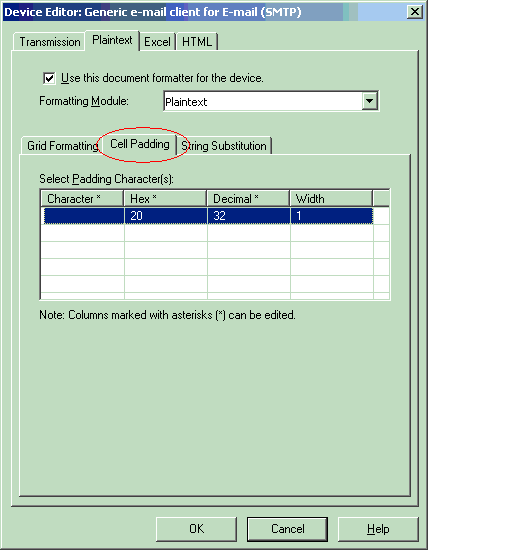
The two types of padding are 'Fixed Width' and 'Proportional Width'. If the device uses a fixed width font then every character occupies the same number of pixels on the screen.
For example, if the maximum grid length in a column is ten characters, then the device simply needs to add 10-grid characters to all grids in that column in order for the column to align properly.
If a proportional width font is used, then each character takes up a different number of pixels on the screen. This makes the calculation somewhat more complex because the user must specify the pixel length of each character.

String Substitution
'String Substitution' allows users to enter the text to be converted to other characters.

