SYMPTOM
A report is always running against warehouse instead of hitting the cache, although the report cache is created as below in Strategy Developer 9.x and 10.x.

In this example, running report "NPS-do not use" will not hit the report cache as below:

CAUSE
The report cache with status "R,U,F" needs to be loaded to be used. Usually, when running the report after the cache is generated, the report cache will be automatically loaded with status "R,L,U,F", and the cache file will be hit. However, in this case, the cache file size has been exceeded the governing setting of maximum RAM usage and it cannot be loaded to be used.
ACTION
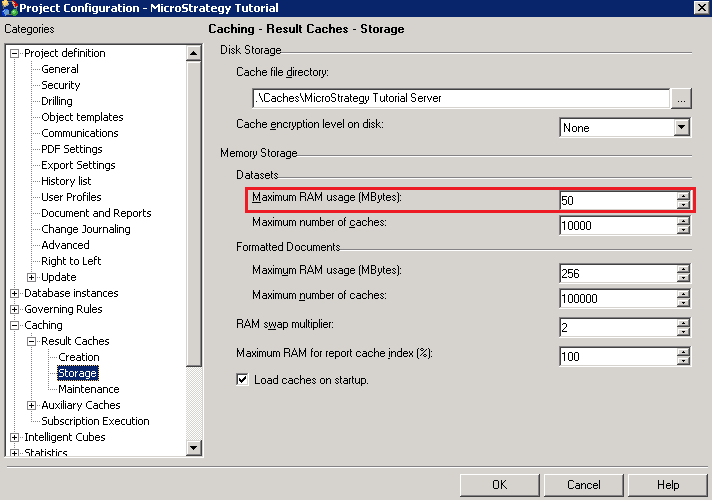
Go to Project Configuration>Caching>Result Caches>Storage and increase the Maximum RAM usage (MBytes) as below. This setting needs to be at least the size of the largest cache file, otherwise, the largest report caches will not be used.
KB8628
