During trouble-shooting cases involving database or ODBC errors, sometimes it may be useful, or even necessary, to look into ODBC trace logs. This document outlines the procedure for enabling Open Database Connectivity (ODBC) tracing on a machine.
On Windows
To enable the 32-bit ODBC Administrator tracing on a Windows platform, perform the following steps:
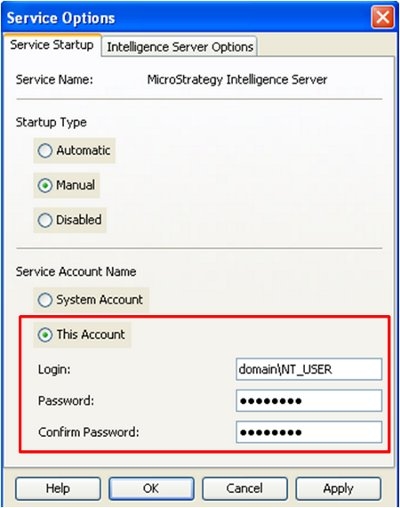
Note: If users are trying to get ODBC trace for 3-tier or 4-tier operations i.e. for SQL being passed by the Strategy Intelligence Server, make sure that the Strategy Intelligence Server is running under a NT user account and not the local system account as shown below.
On Unix
There are two way to enable the 32-bit ODBC Administrator tracing on a UNIX platform
1. Editing the odbc.ini file. For instructions on how to do this, refer to Strategy Knowledge Base document:
KB11979: How to turn on/turn off ODBC tracing in MicroStrategy Intelligence Server Universal 9.x
2. Through ODBC Administrator from within Strategy Control Center.
Third Party Software Installation
WARNING:
The third-party product(s) discussed in this technical note is manufactured by vendors independent of Strategy. Strategy makes no warranty, express, implied or otherwise, regarding this product, including its performance or reliability.
