EducationSoftwareStrategy.com
StrategyCommunity

Knowledge Base

Product

Community

Knowledge Base

TopicsBrowse ArticlesDeveloper Zone

Product

Download SoftwareProduct DocumentationSecurity Hub

Education

Tutorial VideosSolution GalleryEducation courses

Community

GuidelinesGrandmastersEvents
x_social-icon_white.svglinkedin_social-icon_white.svg
Strategy logoCommunity

© Strategy Inc. All Rights Reserved.

LegalTerms of UsePrivacy Policy
  1. Home
  2. Topics

KB8714: The attribute form value does not appear in the file name when using Bursting in MicroStrategy 9.x and newer


Community Admin

• Strategy


SYMPTOM
When using the Bursting feature in Strategy Distribution Services 9.x as per KB3857 shown below:
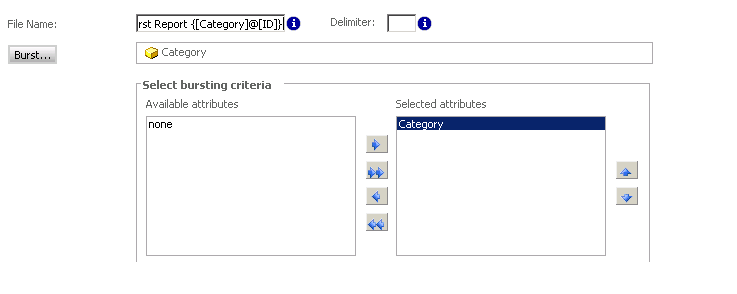
ka04W000000OaY3QAK_0EM4400000029fK.png

The files names do not contain the attribute form name even though the correct file name syntax was used ({@}) as shown below:

ka04W000000OaY3QAK_0EM4400000029fJ.png

 
CAUSE
The project contains another attribute with the same name as the attribute used in Bursting. When attempting to output the attribute form value to the respective file name, Strategy finds the attribute by attribute name and not the attribute's GUID.
 
ACTION
Remove or rename the duplicate attribute.
Article Reference Number: 
KB8714


Comment

0 comments

Details

Knowledge Article

Published:

June 12, 2017

Last Updated:

January 1, 2019