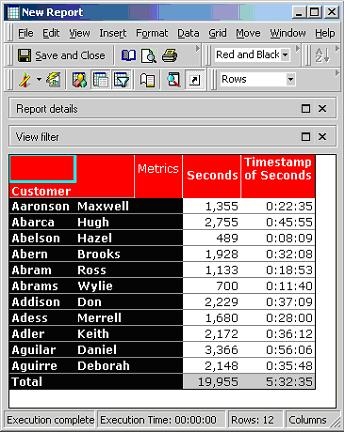
A user may have a metric which is displaying number of seconds in the integer format, such as "1360" seconds, but they may want to convert it into a time stamp format, such as "0:22:33".
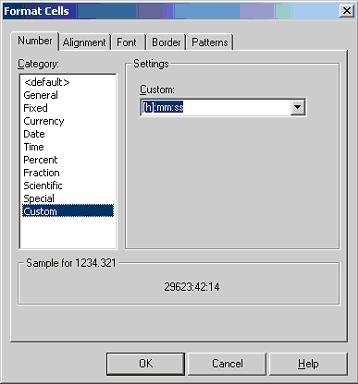
In order to achieve this, users can create another metric 'Timestamp of seconds' based on the metric 'Seconds'. This metric converts the number of seconds into hours, minutes and seconds. Also, this new metric will continue to total correctly when adding the timestamp values together. For example, the total of '1:06:40' and '0:12:40' will be correctly displayed as '1:19:20' and not '1:18:80'.
Consider the following example: If data of 'Seconds' is 4000, then the corresponding data in 'Timestamp of seconds' should be '1:06:40' (or, one-hour, six-minutes and forty-seconds).
Steps to create the metric: