A user would like to align Strategy settings (in inches) with settings that use the metric unit system (e.g., millimetres) on a host machine, for example, with page set-up.
In some cases, users may need to convert inches to millimetres in order to remedy printer problems arising from a misalignment between browser and Strategy Web settings for locales not using inches for printer settings.
Note: Refer to the following Strategy Knowledge Base documents for more information on this printing issue and why the printer settings should be aligned:
In order to change print settings, the conversion is as follows:
1 inch = 25.4 millimetres
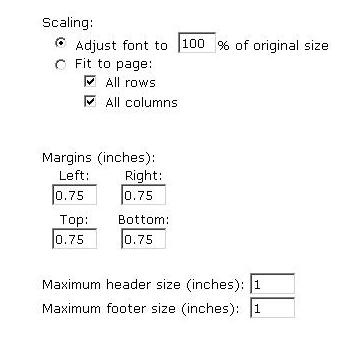
The Strategy Web print margins settings are set in the following location:
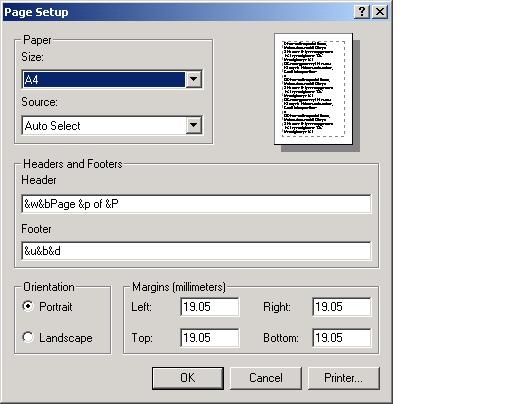
The following screen shot shows an example of the browser printer setting for Internet Explorer 6, however, this will vary according to browser type and locale:
Note: There are a number of enhancement requests to use millimetres or other units of measurement from the metric system. Contact Strategy Technical Support for the status of these requests.
