Consider the following example:
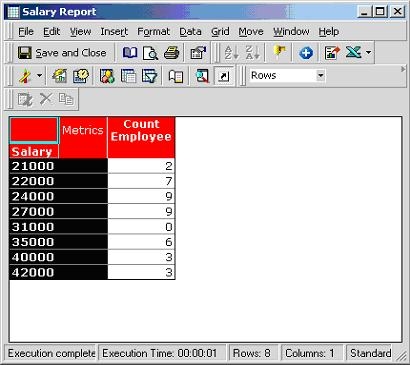
A report displays the number of employees with a certain salary. For a specified salary level, there are no employees that satisfy that qualification. The report appears as follows:
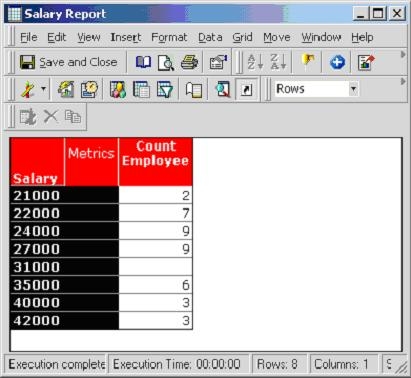
The user would like to display a zero ("0") rather than the null value for the salary 31000. There are two options to achieve this:
On the report level:
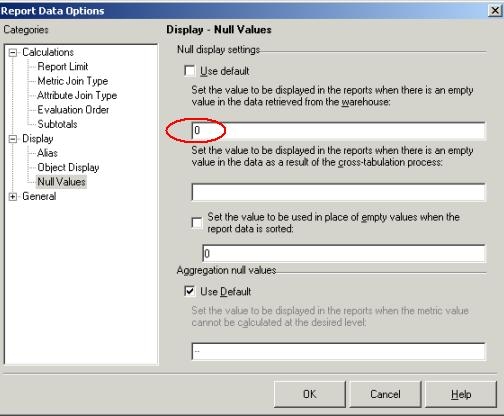
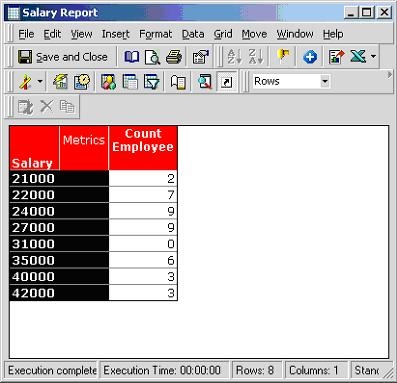
The null value has now been replaced by "0".
On the metric level:
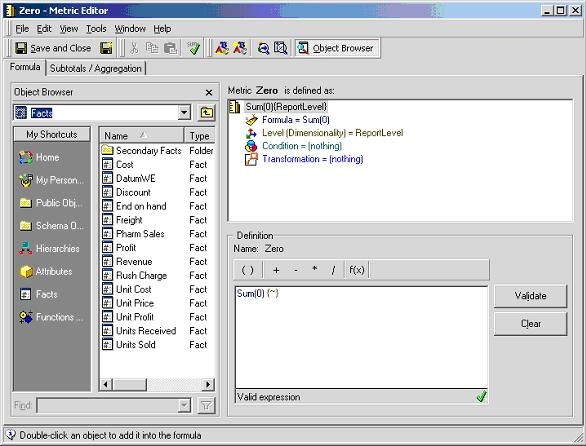
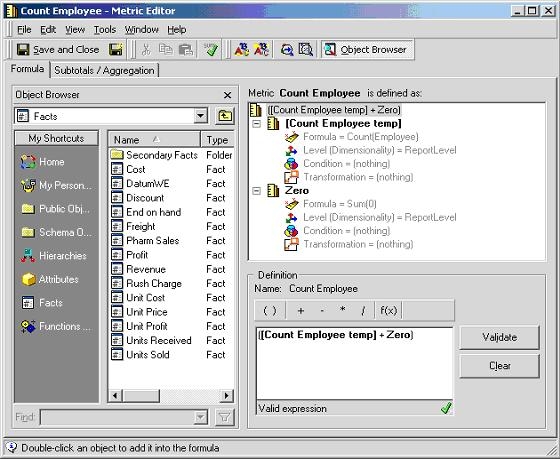
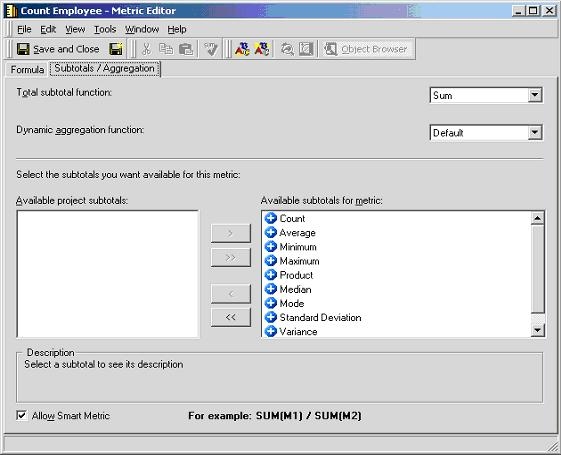
Observe that the null value is displayed as "0", as shown below:
Additionally, the NulltoZero() function can be applied to the metric formula.
