EducationSoftwareStrategy.com
StrategyCommunity

Knowledge Base

Product

Community

Knowledge Base

TopicsBrowse ArticlesDeveloper Zone

Product

Download SoftwareProduct DocumentationSecurity Hub

Education

Tutorial VideosSolution GalleryEducation courses

Community

GuidelinesGrandmastersEvents
x_social-icon_white.svglinkedin_social-icon_white.svg
Strategy logoCommunity

© Strategy Inc. All Rights Reserved.

LegalTerms of UsePrivacy Policy
  1. Home
  2. Topics

KB8879: No email received and no error logs in DSSError.log when sending E-mail subscription to Gmail account through MicroStrategy Distribution Services 9.x


Community Admin

• Strategy


When sending Email subscription to Gmail account through MicroStrategy Distribution Services, there is no email received and no error logs in DSSErrors.log file.

SYMPTOM
When sending Email subscription to Gmail account through Strategy Distribution Services, there is no email received and no error logs in DSSErrors.log file.
 
STEPS TO REPRODUCE
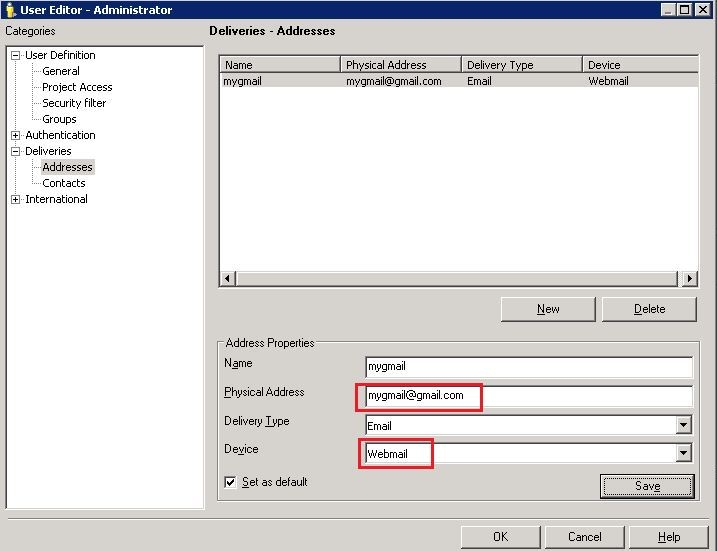
  1. Go to Developer>Administration>User Manager. Add new address for Gmail account under User Editor>Deliveries>Addresses, and select "Webmail" as Device as shown below:
ka04W000000OajzQAC_0EM4400000029jt.jpeg


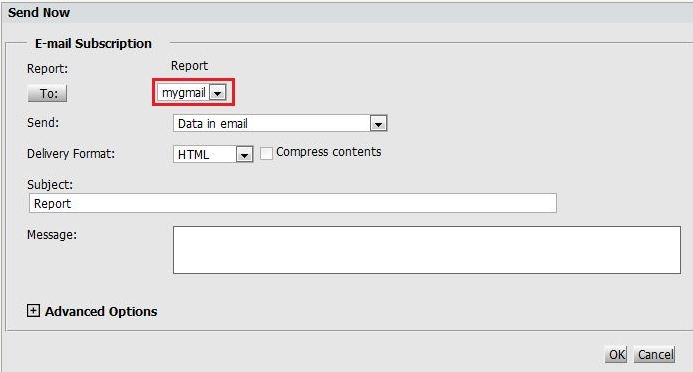
  • Run a report in Strategy Web and go to Home>Send Now. Send the E-mail subscription to the Gmail account in step1 as below:
ka04W000000OajzQAC_0EM4400000029jv.jpeg

<
There is no Email received in Gmail account and no error message seen in DSSError.log file.
  
CAUSE
One possible cause is the E-mail subscription delivered by Strategy Distribution Service has been blocked by Gmail.
 
ACTION
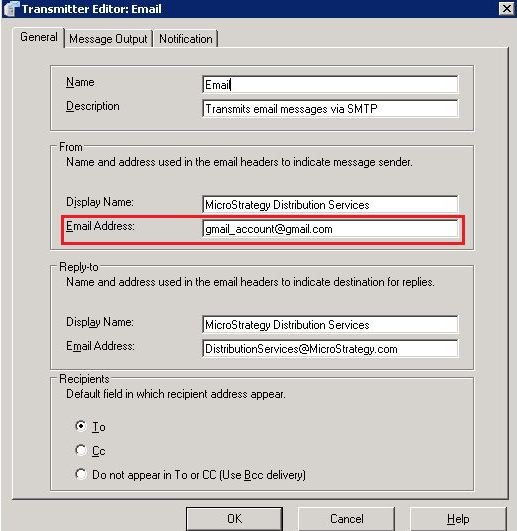
One possible solution is to go to Developer>Administration>Delivery Managers>Transmitters, and double-click Email. Change the email address in the section of "From" to a Gmail account as shown below:


ka04W000000OajzQAC_0EM4400000029jz.jpeg


KB8879


Comment

0 comments

Details

Knowledge Article

Published:

June 2, 2017

Last Updated:

December 5, 2018