EducationSoftwareStrategy.com
StrategyCommunity

Knowledge Base

Product

Community

Knowledge Base

TopicsBrowse ArticlesDeveloper Zone

Product

Download SoftwareProduct DocumentationSecurity Hub

Education

Tutorial VideosSolution GalleryEducation courses

Community

GuidelinesGrandmastersEvents
x_social-icon_white.svglinkedin_social-icon_white.svg
Strategy logoCommunity

© Strategy Inc. All Rights Reserved.

LegalTerms of UsePrivacy Policy
  1. Home
  2. Topics

KB8971: While exporting a Report Services document to PDF, a "red x" is displayed for an image when using a full or absolute path in MicroStrategy Developer


Community Admin

• Strategy


While exporting a Report Services document to PDF, a "red x" is displayed for an image when using a full or absolute path in MicroStrategy Developer.

SYMPTOM
When utilizing a full or absolute path to specify an image in a PDF export, the image PDF document is replaced with a "red x" as shown below:
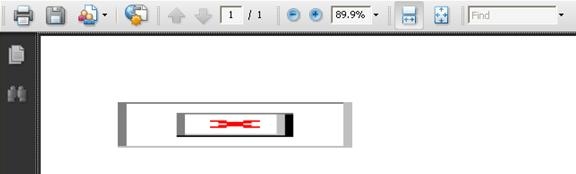
 

ka04W000000uGBFQA2_0EM4400000029m9.jpeg

Note: When running this document in both Web and Desktop the image is correctly rendered.
 
 
CAUSE
There are empty spaces in the full or absolute path to specify the image's location. The empty spaces can cause the export process to
fail when locating the image to export.
 
ACTION
Remove the spaces from the path, or substitute them with '%20' which is the HTML encoding of the space character.
 
 
KB8971


Comment

0 comments

Details

Knowledge Article

Published:

June 13, 2017

Last Updated:

December 30, 2018