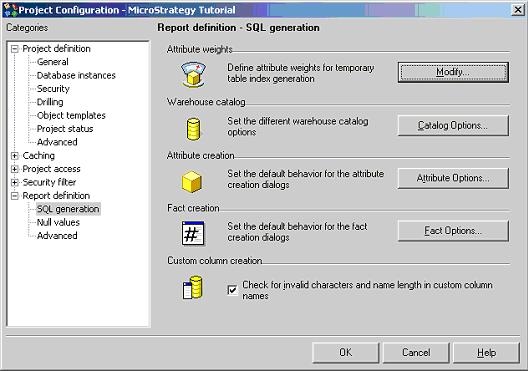
The "Attribute Weights" setting is located in the Project Configuration editor under Report definition > SQL generation, as shown below:
By combining "Attribute Weights" and the "Max Columns in Index" settings, a user can designate any attribute to be included in the index.
In the Very Large Database (VLDB) properties on both the project level and report level (located under the "Indexing" section) there is an entry named "Max Columns in Index". The "Max Columns in Index" setting controls the maximum number of columns that can be used when creating an index. This limit applies to both primary and secondary indexes. If the maximum is five columns but there are ten columns available to index, the first five are selected. However, a user can set each attribute's "weight". When the Structured Query Language (SQL) is generated, the attributes are selected in ascending order of "weight".
