SYMPTOM:
In Strategy there is notification when an out-of-compliance situation is detected. Notification occurs at 3 different levels after an out-of-compliance situation is detected by the system, as follows:
A. Level 1 (0-15 days)
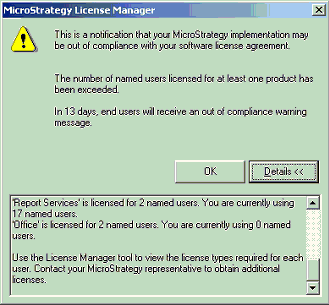
Upon expanding the server administration icon in Strategy Developer, Administrators receive the following message about license compliance:
'This is a notification that your Strategy implementation may be out of compliance with your software license agreement. The number of named users licensed for at least one product has been exceeded. In 'xx' days, end users will receive an out of compliance message'.
Upon clicking the 'Details' button, more details may be obtained on the named user licenses for the products. The following screen-shot illustrates this:
B. Level 2 (15-30 days)
The following message is displayed to Administrators including an indication of the number of days until the next level takes effect:
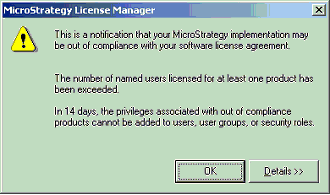
'This is a notification that your Strategy implementation may be out of compliance with your software license agreement. The number of named users licensed for at least one product has been exceeded. In 'xx' days, the out of compliance privileges cannot be added to users, user groups or security roles'.
The following message is displayed to non-administrator users in Strategy Developer:
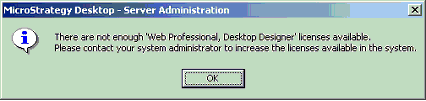
'There are not enough <license_type> or <license_type>] licenses available. Please contact your system administrator to increase the licenses available in the system.'
The same message is displayed to non-administrator users in Strategy Web as well. This is only a message and users will be able to login as normal.
C. Level 3 (30+ days)
The following message is displayed to Administrators:
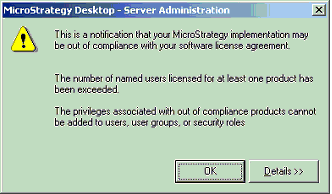
'This is a notification that your Strategy implementation may be out of compliance with your software license agreement. The number of named users licensed for at least one product has been exceeded. The privileges associated with out of compliance products cannot be added to users, user groups or security roles'.
The non-administrator users in Strategy Developer and Strategy Web will continue to see the same message as in Level 2.
CAUSE:
The levels of out-of-compliance notifications appear because the number of users who are assigned privileges is greater than the number of licenses allowed by the license key.
ACTION:
Customers should contact their Strategy Account Executive for purchasing additional licenses. Customers who believe that that the message is occurring due to an issue with the Strategy product, should contact Strategy Technical Support.
KB9237
