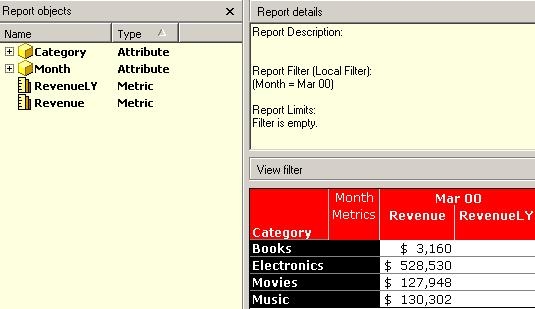
Users receive a "Report returned no data" error message in Strategy Developer when the report contains two or more metrics and one of the metrics contains no data.
The following example uses the Strategy Tutorial project to illustrate this issue.
SYMPTOM:
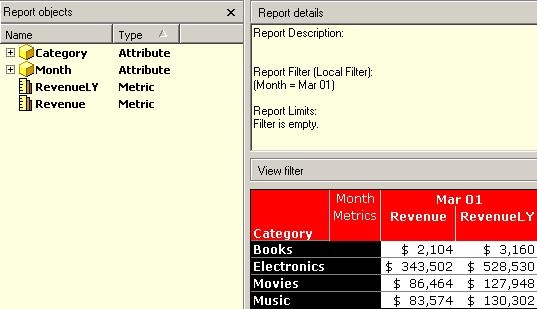
Consider that a user has a report with one metric for 'Revenue' and the other for the same definition with a transformation for the previous year. This report has a filter to month = March 2001.
Notice that there are values for both metrics, as illustrated below:
However, the report does not return any values when the filter definition is changed to month = March 2000 even though the previous report shows that there are values present for March 2000. When this report is executed, the following error message appears:
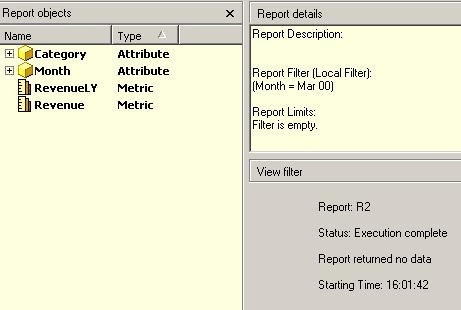
Report returned no data
CAUSE:
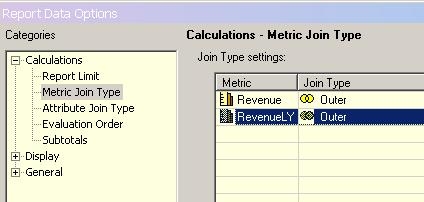
This issue occurs because the metric outer join is not properly set.
ACTION:
To resolve this issue, change the metric join type at the Report Data Option to "Outer", as shown below:
The report now displays the proper values: