A metric can be used to force the Strategy Analytical Engine to calculate a definition containing dynamic values (in the form of Date Value Prompts) and constants. Consider that a user wants to create a metric with a formula that calculates the number of weeks between a selected date and another selected date where both were selected using date prompts. The formula of such a metric is:
ApplySimple("(#0 - #1) / #3", ?, ?, )
where "?" is the Start Date Prompt, "?" is the End Date Prompt, and "" is a constant in the form of a metric.
NOTE: The formula uses an ApplySimple and is coded using Microsoft Access syntax, therefore, the syntax will vary from database to database. Customization might be require to make the formula compatible with the desired database.
When the 'Validate' button is clicked, the formula will be shown as valid. However, the "METRIC is defined as:" section (above the definition) will show the following:
ApplySimple("(#0 - #1) / #2",ERR ,ERR , )
This is because the Start Date and End Date have not yet been defined. The prompts will work properly when the report is executed.
The metric is a metric that will always return a value of "7". The formula for that metric is:
Max(7)
The metric is the key component that makes the formula work because the Strategy Analytical Engine was designed to make computations against objects and the subtraction of two dynamic (prompts) values divided by a physical constant (7) is not valid. In other words, ApplySimple("(#0 - #1) / 7", ?, ?) will fail as shown in the example below.
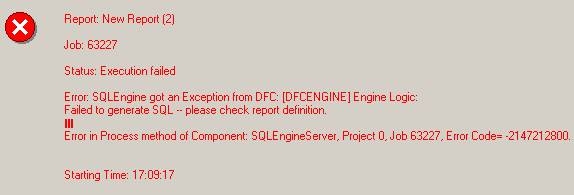
Error: SQLEngine got an Exception from DFC: Engine Logic:
Failed to generate SQL - please check report definition.
Error in Process method of Component: SQLEngineServer, Project 0, Job 63227, Error Code= -2147212800
An example of how this formula works is provided in the following report:
The result will be almost three weeks (as shown in the figure below) because (24 - 5) / 7 = 2.7143:

