SYMPTOM:
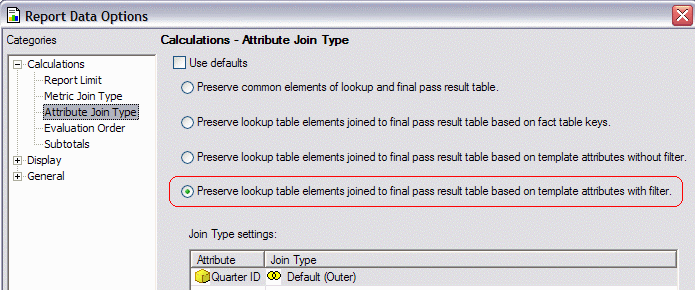
When VLDB settings are configured at the report level to allow for an outer join to the lookup table in Strategy Developer, the SQL does not show an outer join. Instead, it creates two passes of SQL and creates all SQL correctly except without an outer join to the lookup table in the final pass.
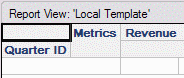
select a11.QUARTER_ID QUARTER_ID,
sum(a11.TOT_DOLLAR_SALES) WJXBFS1
into #ZZOL00
from QTR_CATEGORY_SLS a11
group by a11.QUARTER_ID
select distinct a11.QUARTER_ID QUARTER_ID,
pa12.WJXBFS1 WJXBFS1
from LU_MONTH a11
join #ZZOL00 pa12
on (a11.QUARTER_ID = pa12.QUARTER_ID)
drop table #ZZOL00
CAUSE:
Strategy SQL Engine does not support outer joining to a lookup table with the following two scenarios, if there is only one attribute on the template:
In both cases, there is no guarantee that the lookup table contains distinct elements per row for the template attribute; the same attribute element could be found in multiple rows.
The outer join is produced if two or more attributes are on the template.
ACTION:
One of the following approaches will make the outer join possible:
Add a second attribute to the report template.
Or, use a logical view (or database view) to create a distinct lookup table for the template attribute. The logical view may be defined with the following SQL:
SELECT DISTINCT <ID column>, <DESC column>, <Parent ID column if applicable>
FROM <Lookup>
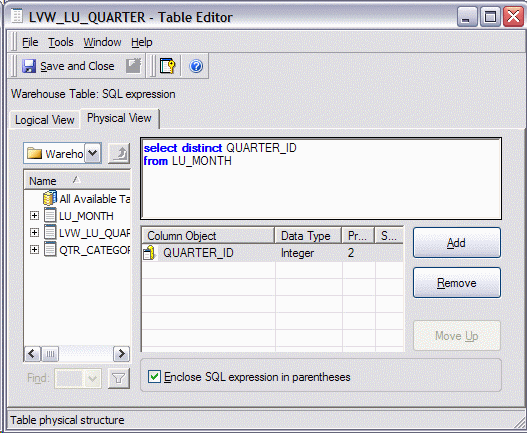
Note: This example uses a simplified schema containing only Month and Quarter attributes. If there were a Year attribute and Quarter description, they should be selected as well.
Map the attribute onto the logical view and make it the primary lookup.
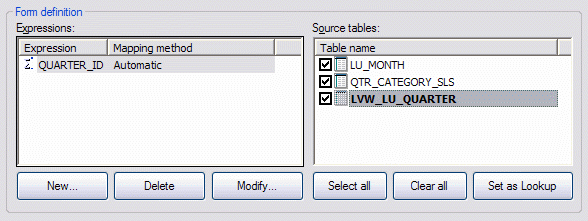
Update schema. Following this, the outer join will be produced.
select a11.QUARTER_ID QUARTER_ID,
sum(a11.TOT_DOLLAR_SALES) WJXBFS1
into #ZZOL00
from QTR_CATEGORY_SLS a11
group by a11.QUARTER_ID
select a11.QUARTER_ID QUARTER_ID,
pa12.WJXBFS1 WJXBFS1
from (select distinct QUARTER_ID
from LU_MONTH) a11
left outer join #ZZOL00 pa12
on (a11.QUARTER_ID = pa12.QUARTER_ID)
