Like Strategy Desktop and Strategy Web, users can log into a project from Strategy Office using Windows Authentication mode when the Strategy Office Web Services are hosted on a Microsoft IIS Web Server.
To implement this feature, perform the following steps:
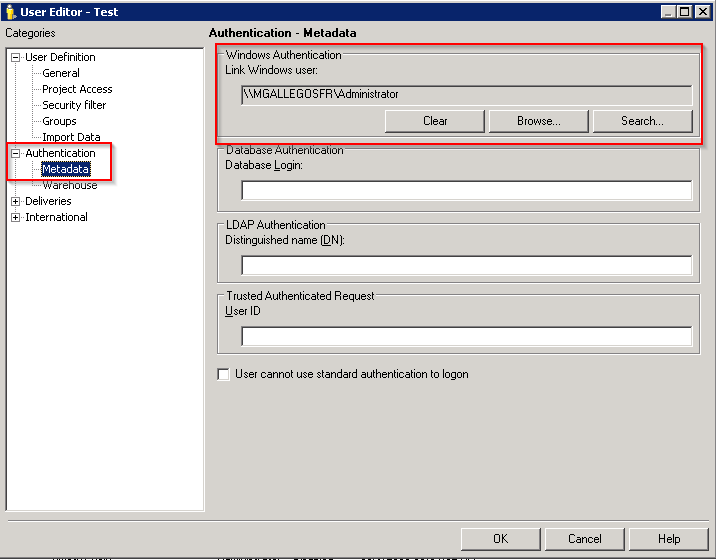
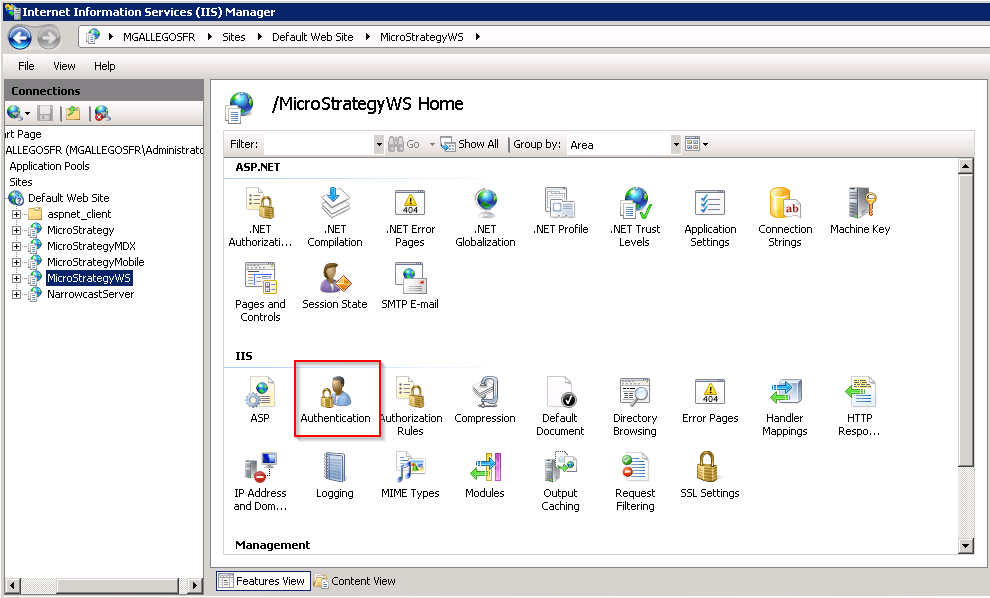
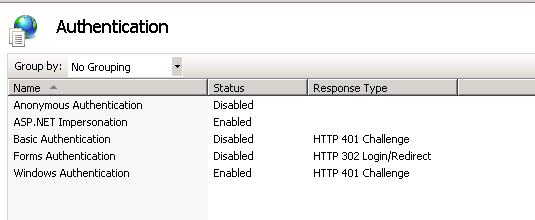
Now open a Strategy Office application, such as Excel, and click on the Strategy button. Users then see the Connect to Strategy window.
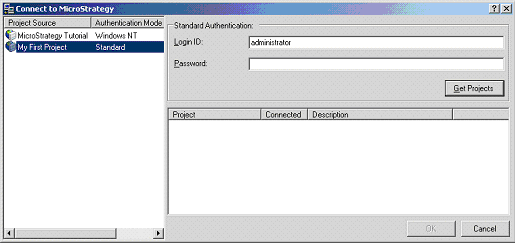
Notice that Windows Authentication is now enabled for login to the Strategy Tutorial project. Users can click on the 'Get Projects' button to access the project without providing password:
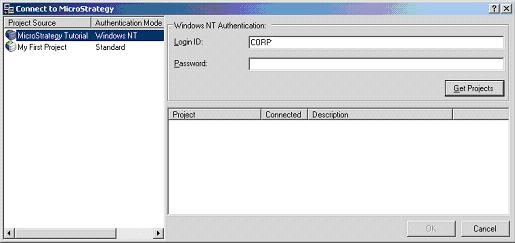
The reason that the Connect to Strategy window is displayed is because Strategy Office can connect to multiple project sources even though different authentication modes might be used within a different project source. As the screen shot below indicates, My First Project is using Standard Authentication: