SYMPTOM:
When setting up a data mart in the Strategy SQL Generation Engine, users may insert a SQL statement that includes a "!=" sign, as shown below:
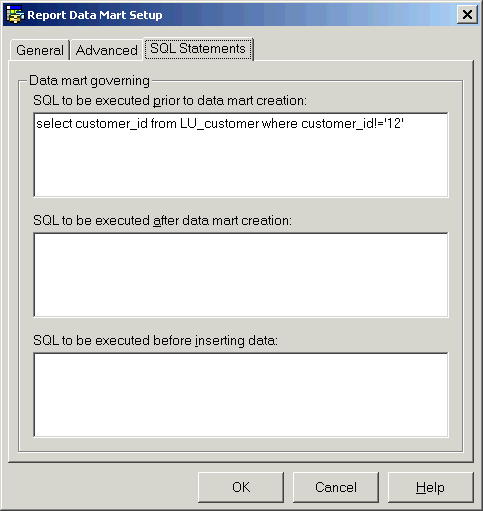
select customer_id from LU_customer where customer_id!='12'
However, the user views the Structured Query Language (SQL) and finds that "!=" is parsed as only "!" and the SQL execution fails with a syntax error. The SQL is generated as follows:
select customer_id from LU_customer where customer_id!'12'
create table test_table (
CALL_CTR_ID BYTE,
CENTER_NAME TEXT,
Region_ID LONG,
WJXBFS1 DOUBLE,
WJXBFS2 DOUBLE)
insert into test_table values ()
CAUSE:
An exclamation point ("!") is used to denote a wildcard in Strategy. As a result, the character string "!=" is parsed incorrectly as a wildcard character and needs to be escaped out.
ACTION:
In order to place a "!=" (not equal to) sign in the SQL, use the escape out method of putting in the "!!=" character string. In the example above, the SQL should be modified, as follows:

select customer_id from LU_customer where customer_id!!='12'
Now, when viewing the SQL, it is correctly parsed and SQL execution succeeds, as shown below:
select customer_id from LU_customer where customer_id!='12'
create table test_table (
CALL_CTR_ID BYTE,
CENTER_NAME TEXT,
Region_ID LONG,
WJXBFS1 DOUBLE,
WJXBFS2 DOUBLE)
insert into test_table values ()
WORKAROUND:
To workaround this issue, use "<>" to replace "!=". In the example above, the SQL should be modified, as follows:

select customer_id from LU_customer where customer_id<>'12'
Now, when viewing the SQL, it is correctly parsed and SQL execution succeeds, as shown below:
select customer_id from LU_customer where customer_id <>'12'
create table test_table (
CALL_CTR_ID BYTE,
CENTER_NAME TEXT,
Region_ID LONG,
WJXBFS1 DOUBLE,
WJXBFS2 DOUBLE)
insert into test_table values ()
