Under Administration\Devices\File System in the Strategy Narrowcast Administrator 9.4.x-10.x, multiple ‘Save to File’ devices can be created each having a separate path to where the file will be saved. When configuring one of the devices, the following window appears:
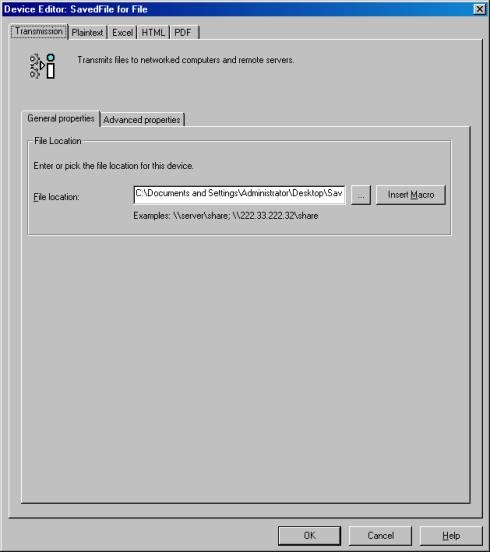
The path to where the files will be saved can be specified under the general properties tab (“File location”). Users can define the path in UNC format (\\Server\Sharefolder) and there is no need to map network drives.
NOTE: The ‘Strategy Distribution Manager’ and ‘Strategy Execution Engine’ services must be running under a domain NT account with Write permissions in the shared folder specified under ‘File location’.
More advanced transmission features such as “Create required folders”, “Overwrite files with same name”, “Append timestamp to file name”, “time out & retries, and “Backup File location” can be specified under the advanced properties tab. The advanced properties tab is illustrated in the following screen shot:

Note that there are no settings at the Information Transmitter level. If users attempt to configure or edit the ‘File’ Information Transmitter, they will receive the following message:

No configuration is required.
