Viewing Web Application Cookies
Typically, an HTTP request is made up of the page to be retrieved along with certain headers. Most of the web applications make use of cookies in order to identify that browser session with the specified application. In such scenarios, the browser sends the HTTP request along with the cookies that were already sent.
In most of the cases, a user wants to know which cookies are being set as part of the application work flow and how they have been modified over the course of user actions. This information aids while debugging various customer cases.
There are two methods of identifying these cookies:
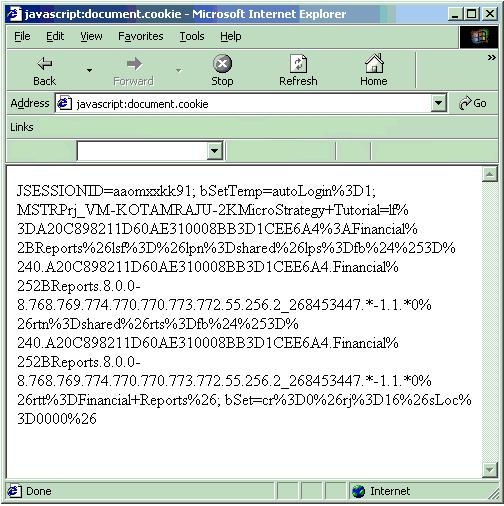
The first option (javascript option) will only work from within the browser. Thus, it's usage is very limited as one must keep issuing that address (in the browser window) after every HTTP request is sent so as to view the cookies and how they have been changed over the course of the application. A sample screen shot is shown below:
The second option is more robust in that the modification must be done only once inside the "mstrWeb.jsp" page (which is located in the jsp folder of the Strategy Web Application). From then on, every HTTP response (the output HTML) displays a list of the cookies that have been sent as part of the HTTP request, as shown below:

