SYMPTOM:
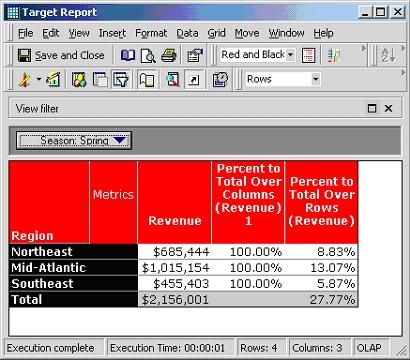
When a custom group is used, a Percent to Total derived metric sometimes returns incorrect data. This issue is documented in "KB16618 - Percent to total derived metrics in a report with a custom group in the page axis return lower percentages than expected in Strategy Engine".
A limitation of the Percent to Total metric used with custom groups is that subtotals for each element of the custom group cannot be calculated properly. Consider the following example that uses the Strategy Tutorial project:
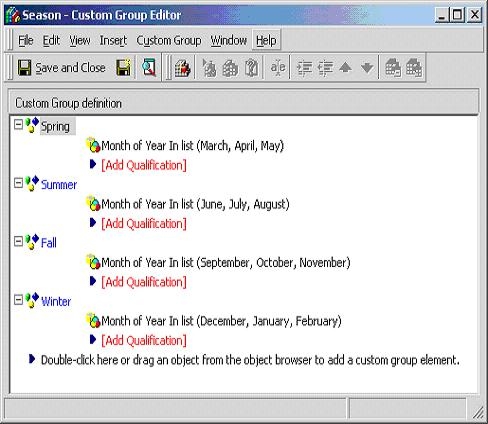
Create a custom group called "Season", as shown below:
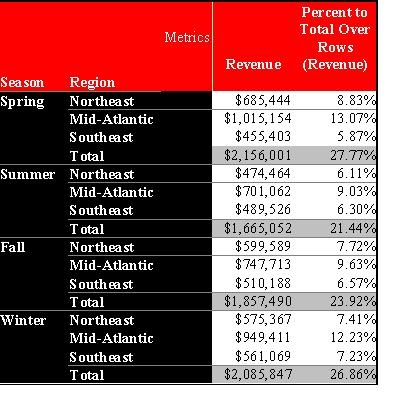
Create a report with custom group "Season", attribute "Region" on the row axis and metric "Revenue" on the row axis. It is possible to calculate the percent to grand total and percent to total of each region, but there is no way to calculate the percent to total of each season:
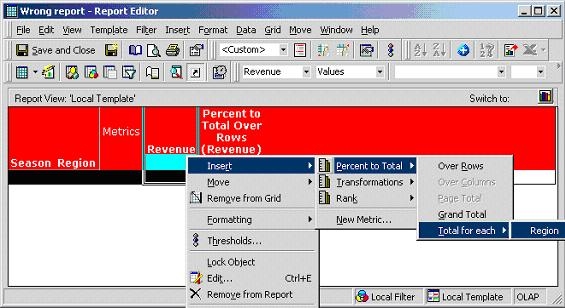
There is no such an option in the GUI:
However, it is a common requirement that a user wants to report on the revenue contribution of, for example, the Northeast region in spring.
CAUSE:
Custom groups are not treated in the same way as attributes by the Strategy SQL Generation Engine.
WORKAROUND:
Creating an attribute to replace the custom group can resolve this issue. In the example above, create an attribute called "Season", as follows:
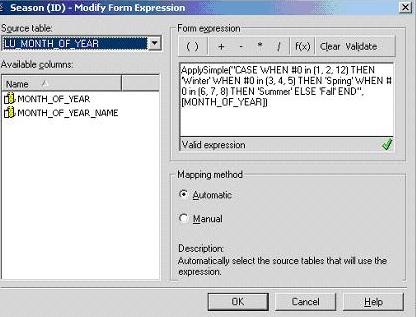
ApplySimple("CASE WHEN #0 in (1, 2, 12) THEN 'Winter' WHEN #0 in (3, 4, 5) THEN 'Spring' WHEN #0 in (6, 7, 8) THEN 'Summer' ELSE 'Fall' END",[month_of_year] )
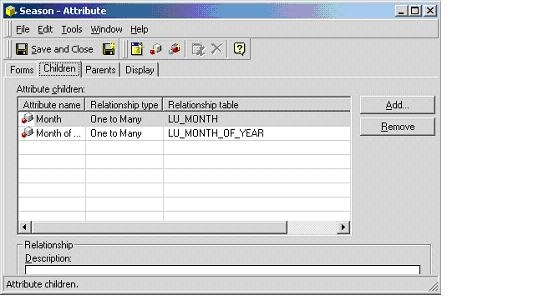
Define the appropriate child-parent relationship for this newly created attribute to avoid any unnecessary joins.
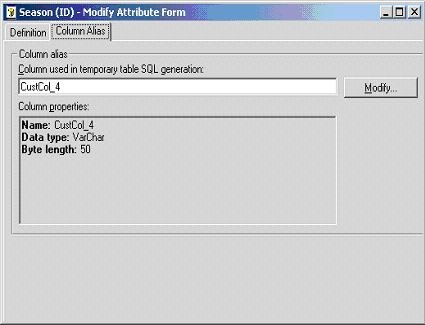
Data types of attribute form column aliases must also be modified, if necessary. In this case, by default, the data type of the attribute "Season" ID form is inherited from the data type of MONTH_OF_YEAR column, which is an Integer. Since the ID form of this attribute is actually in text format, the data type of the ID form must be changed to VarChar, as indicated below:
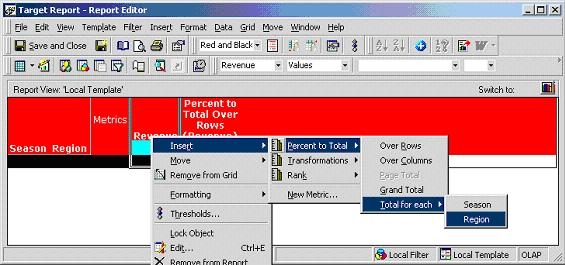
Now modify the original report, replacing the custom group with the new attribute just created.
The option to calculate percent to total of each season is now available:
Users now receive the desired data; Northeast region contributes 31.79% revenue in spring, as shown below:
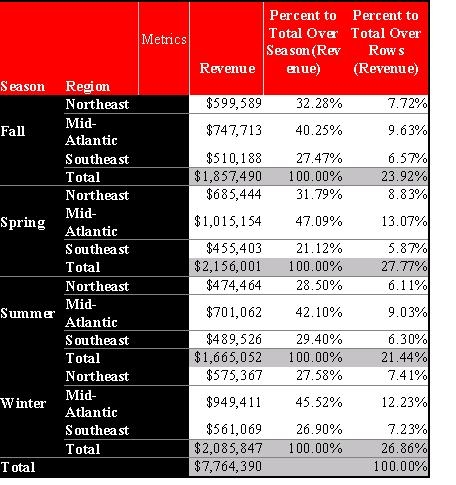
This workaround also resolves the incorrect data problem described in KB5200-7X0-0167 (referenced in the Symptom section above). Instead of disabling certain Percent to Total options that might return incorrect data (as is the approach used in Strategy 7i - 7.2.2 and newer), this workaround can return correct data for those options, as shown below: