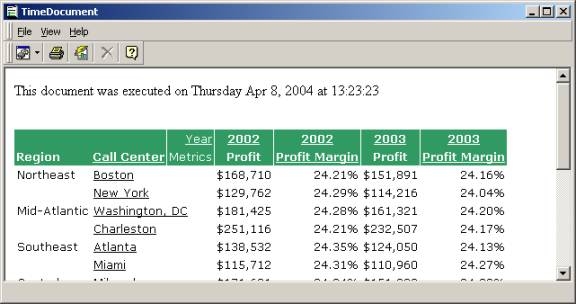
To include the date and time inside of an HTML document, users can employ a JavaScript. The following script will generate the desired text above a grid report:
This document was executed on
<SCRIPT type=text/javascript>
var d=new Date()
var weekday=new Array("Sunday","Monday","Tuesday","Wednesday","Thursday","Friday","Saturday")
var monthname=new Array("Jan","Feb","Mar","Apr","May","Jun","Jul","Aug","Sep","Oct","Nov","Dec")
document.write(weekday + " ")
document.write(monthname + " ")
document.write(d.getDate() + ", ")
document.write(d.getFullYear()+" at ")
document.write(d.getHours()+":")
document.write(d.getMinutes()+":")
document.write(d.getSeconds())
</SCRIPT>
A sample report with this date and time is illustrated below: