In Strategy Narrowcast Server 9.x, a Personalized Page-By service requires the use of reports that contain page-by attribute(s). Compared to the reports without the page-by attributes, these reports generally take more time to execute on the Strategy Intelligence Server due to the extra processing.
This document discusses some of the common performance tuning techniques used for a Personalized Page-By service. It is assumed that the Strategy Intelligence Server and the Strategy Narrowcast Server reside on different machines.
One of the indicators of a sub-optimal environment is the low concurrent processing between the Strategy Intelligence Server and the Strategy Narrowcast Server.
After the service dispatches, large page-by reports are submitted to Strategy Intelligence Server for execution, while the Strategy Narrowcast Server waits for the result sets to come back. Hours later, all the reports finish executing on the Strategy Intelligence Server, the under-loaded Strategy Narrowcast Server is suddenly flooded with result sets, and the ISMs on the Strategy Narrowcast Server push the CPU and memory to their limits.
In a well-configured environment, reports are segmented with appropriate sizes. This translates into more reports to execute on the Strategy Intelligence Server, but since each report is smaller, they can come back in a shorter period of time.
As soon as the first batch of reports finish executing on the Strategy Intelligence Server, the ISMs on the Strategy Narrowcast Server retrieve the result sets and start processing, while the Strategy Intelligence Server processes the second batch of reports. In most cases, the higher the concurrency the faster the Strategy Narrowcast service finishes.
The following are some of the common factors and settings that determine the load balancing between the Strategy Intelligence Server and the Strategy Narrowcast Server:
Intelligence Server Tuning:
Clustering:
Having multiple Strategy Intelligence Servers in a cluster improves report execution throughput. If the number of subscriptions is large (i.e., the Subscription IO generates a large number of rows), consider setting up two or more Strategy Intelligence Servers in a cluster.
Server-Level Governing:
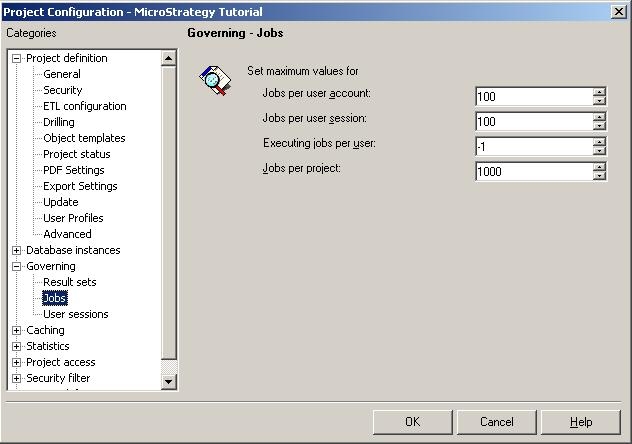
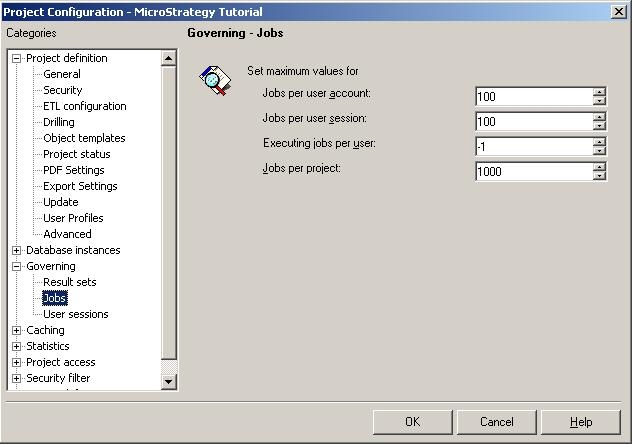
Project-Level Governing:
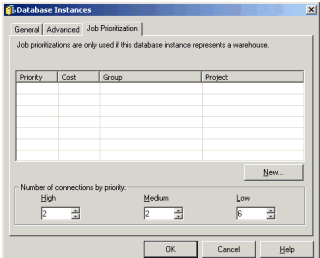
Narrowcast Server Tuning:
Server Cache Options:
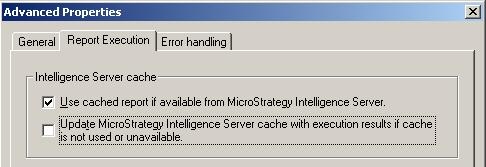
In an environment where warehouse data change on a more frequent schedule than a Personalized Page-By service, creating/updating cache brings little benefit to the execution. On the contrary, creating/updating cache for a large page-by report requires additional resources on the Strategy Intelligence Server. If this is the case, uncheck the box next to Update cache with execution results.
Client Logging Levels:
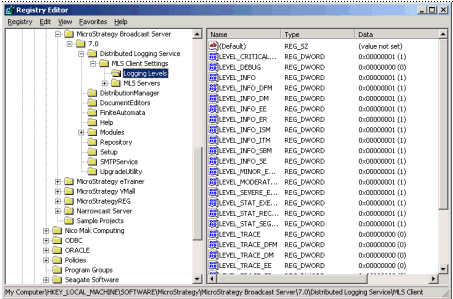
After the Strategy Narrowcast services are built and tested, consider reducing the amount of logging for the Strategy Narrowcast logging client. To change the logging levels, use RegEdit.exe and go to HKEY_LOCAL_MACHINE SOFTWARE\Strategy\Strategy Broadcast Server\7.0\Distributed Logging Service MLS Client Settings\Logging Levels, and assign 0's to the keys that are not critical.
Segment Size and Segment Expiration:
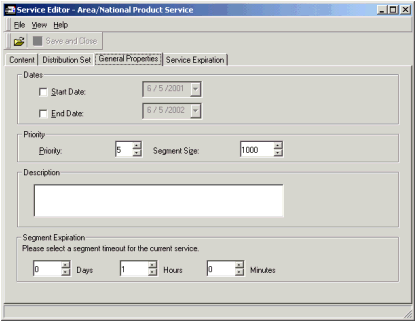
Test different segment sizes to find one for the best throughput. Change the Segment Expiration accordingly to make sure the segment can finish executing within the time-out window.
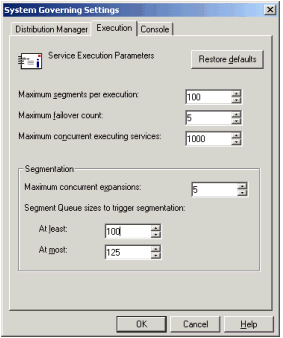
Strategy Narrowcast System Governing:
In Narrowcast Administrator, choose System\Governing, under the Execution tab, adjust the parameters for Segmentation. For further information on these parameters, refer to KB5662.