When attempting to upgrade Strategy 2019 to Strategy 2020, you may experience a StackOverflowError upon entering the license key.
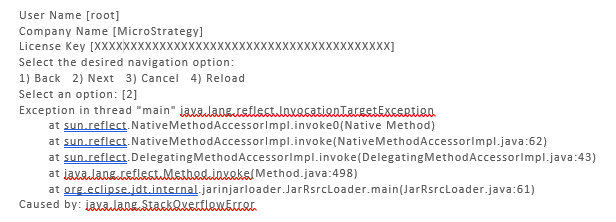
Additionally, the
MSTRInstaller.logwill show a loop trying to validate the Intelligence Server products.

This behavior occurs when both the Intelligence Server and R are installed in the system. In Strategy 2020, R is not included. However, since it was previously installed on the environment, the validation process goes into a loop, in an attempt to disable it.
This defect is currently being investigated by the Strategy Technology team.
You can modify the
instance.xmlfile located in
<MSTR_INSTALL_PATH>/_uninstall/instance.xmland remove the R section. The R component can be found under the "Others Components" section of the .xml file.

After removing the R component, the file should look like this:
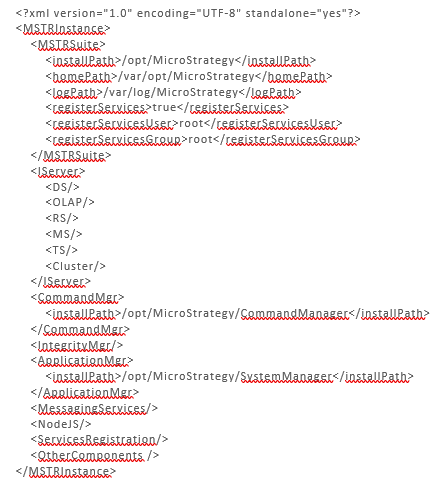
After removing the entry, run the installer again. It should complete without issues.
