New Features & Functionality
Language Settings in Workstation and Desktop
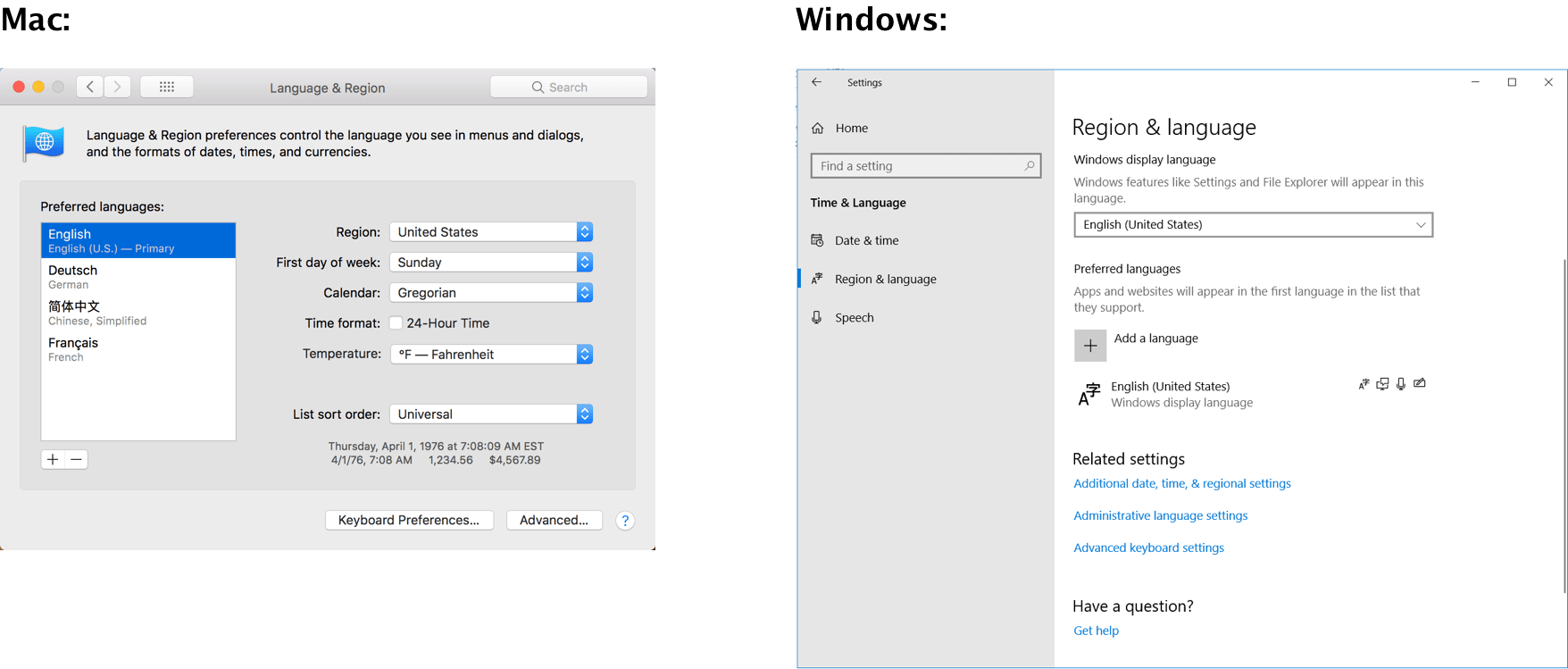
Workstation and Desktop will display in the language specified by the Operating System’s Language Preferences. This means that in order to view Workstation or Desktop in a particular language, that language should be set as the system language on the computer.
The system language will also be picked up when navigating to the Help site.
Workstation and Desktop support the following languages:
In addition, the application’s help website under the Help Menu is supported in the following languages:
If the system’s language is not one of these languages, the display language for both the applications and the Help site will default to English.
Get started with these next few steps
The language preferences can typically be found in Settings for Windows machines, and System Preferences for Mac.