Starting with the release of Strategy ONE (March 2024), dossiers are also known as dashboards.
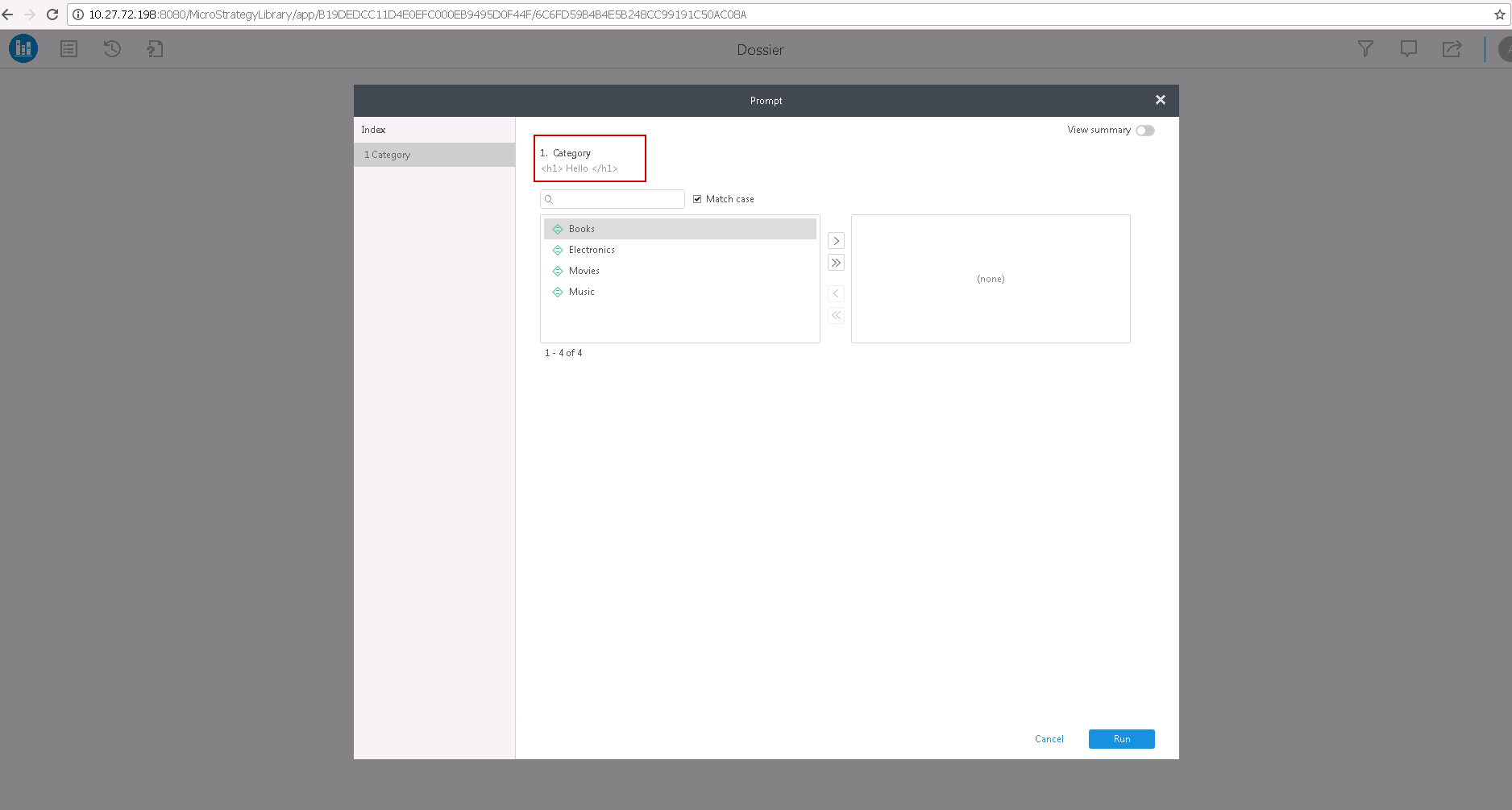
When the Library prompt's instructions contain HTML code, the HTML code is not rendered correctly. The code is not rendered correctly despite the fact that the option <Prompt Title and Descriptions> box is selected and enabled on the Web Administrator page > Security. Look to the steps to reproduce for more details.
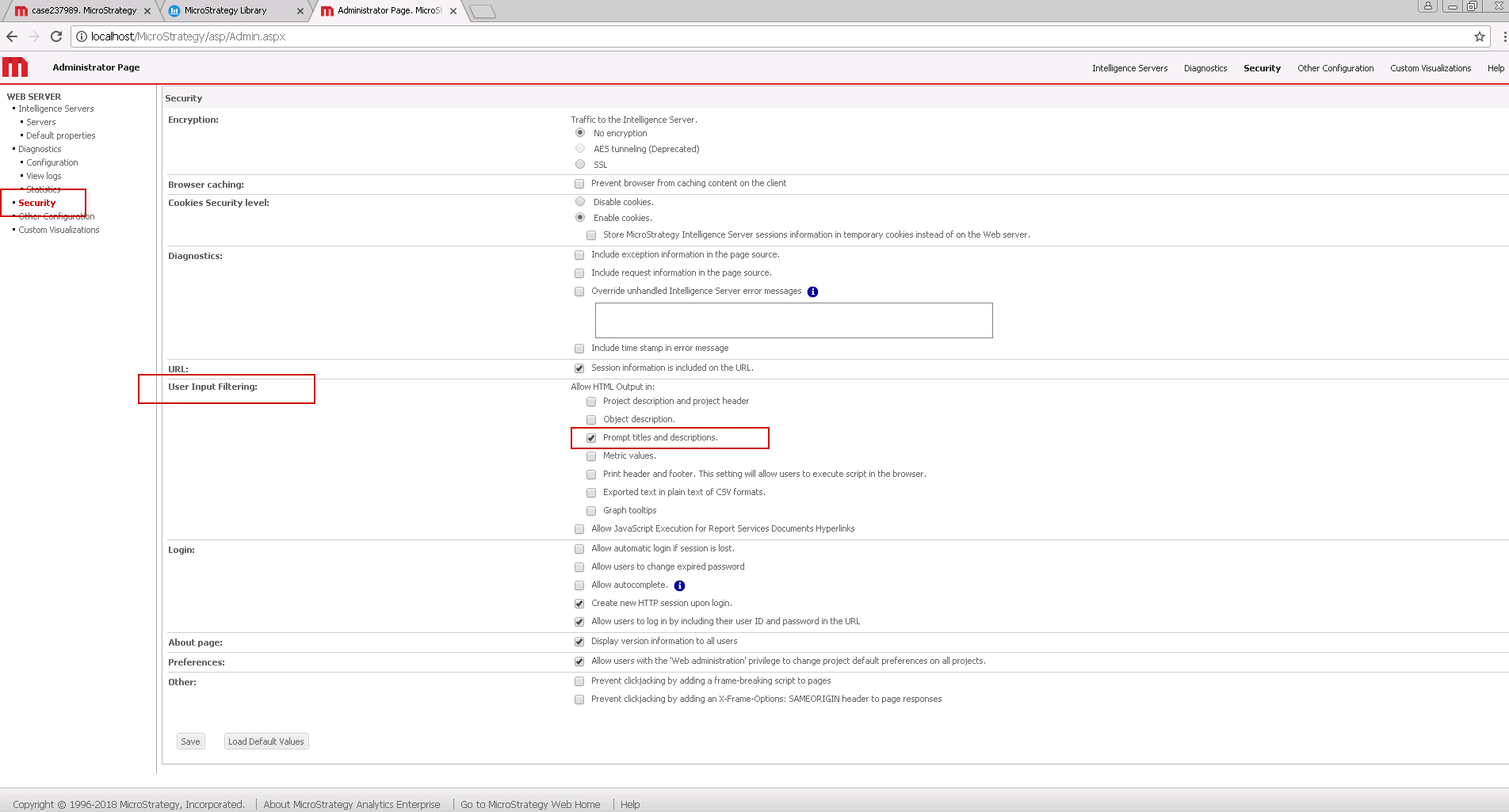
1. In the Web Administration page, go to User Input Filtering.
2. Go to the section under "Allow HTML Output In".
3. Enable "Prompt Titles and Descriptions" by selecting the box.
View the image below to find the box on the Web page.
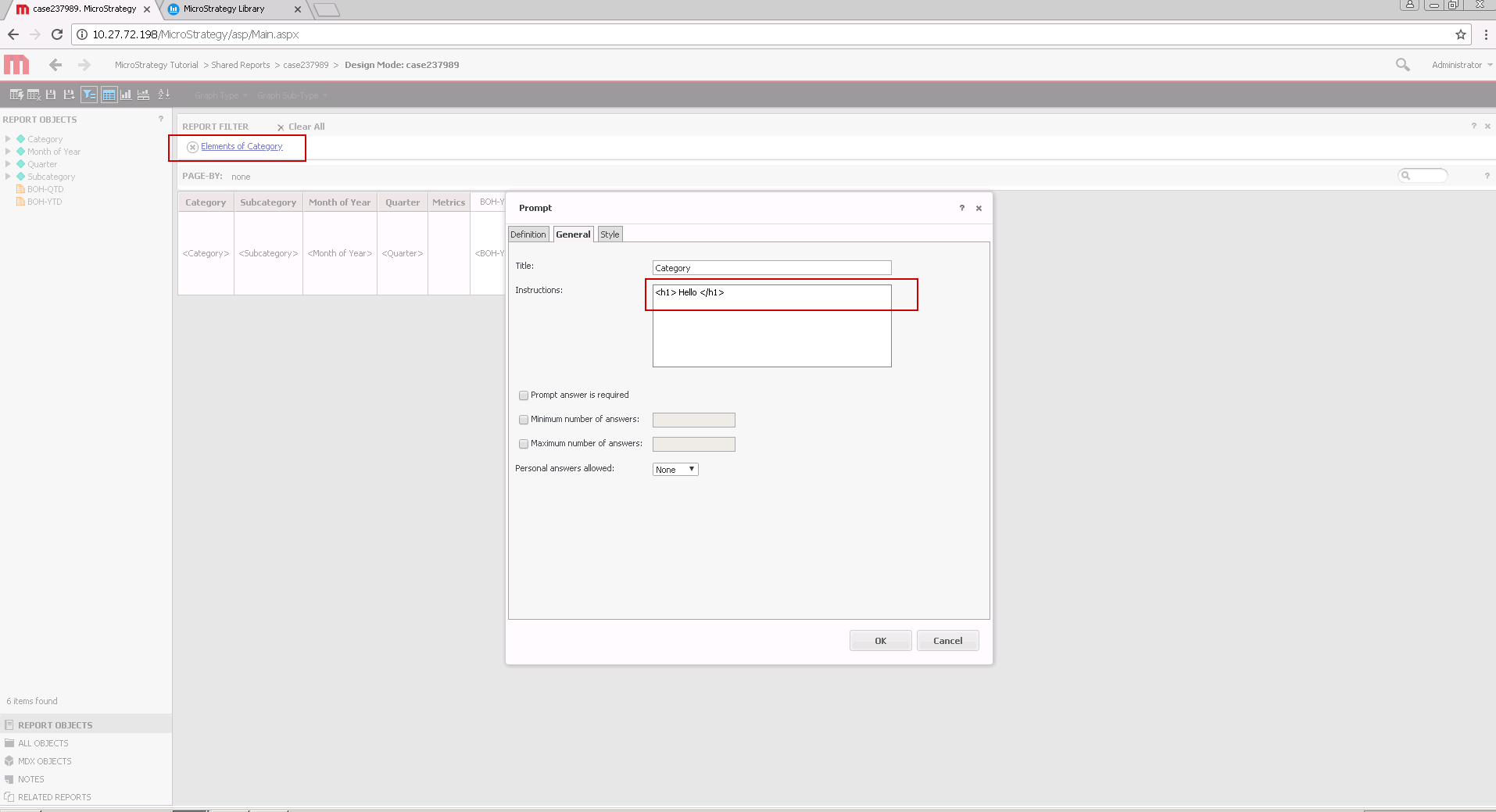
4. Create a Dossier from a report with a prompt.
5. Create the prompt instructions with HTML code.
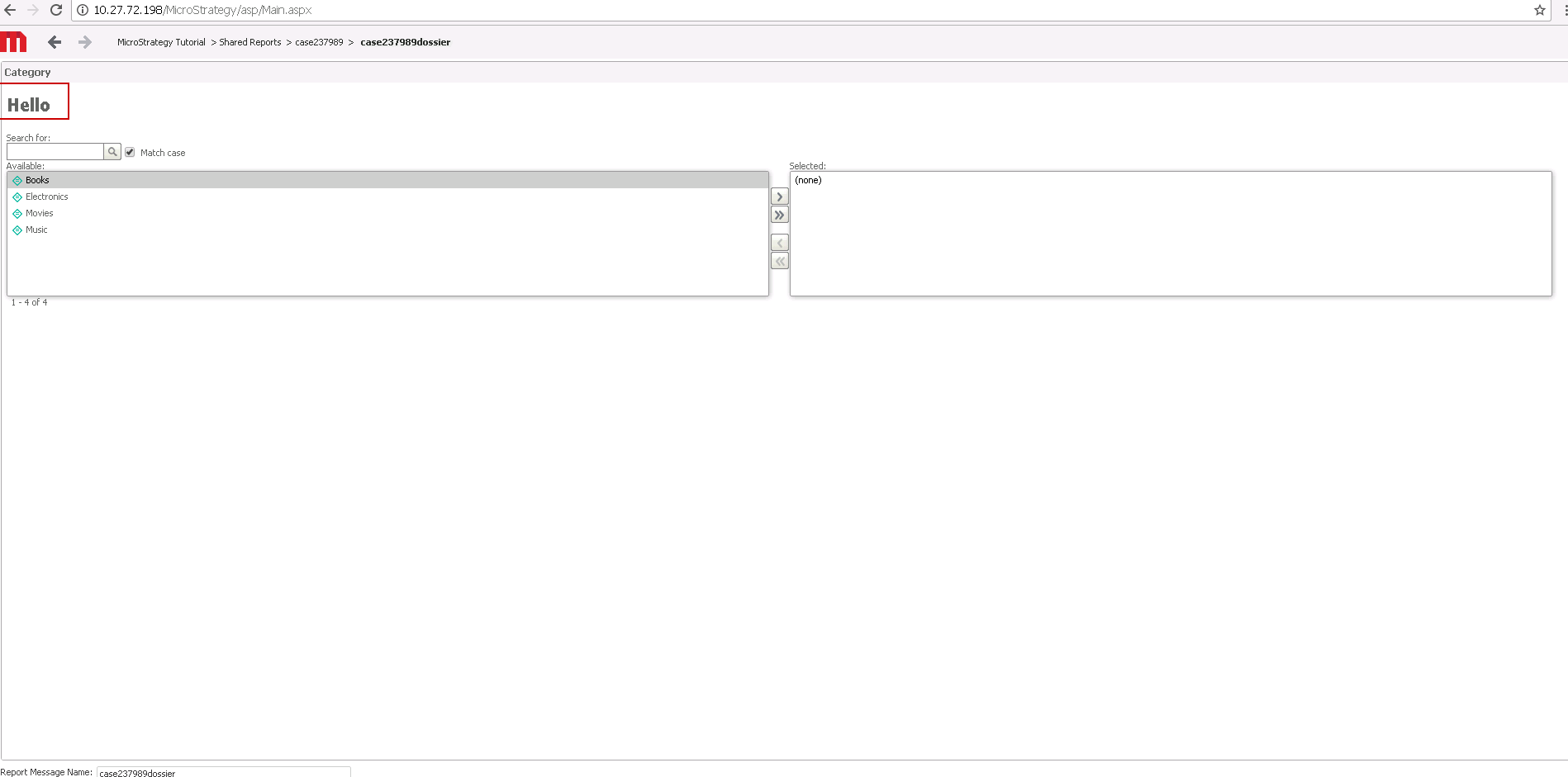
6. Execute the Dossier in Strategy Web.
7. Check that the HTML code is rendered properly.
8. Execute the same Dossier in Library.
9. Check and view that the HTML tags are not rendered.
Currently this issue is being reviewed by Strategy for a potential code fix on an upcoming Strategy release.
Our engineering teams are working to enhance the overall Strategy experience.
Interested in learning more about Library administration? Visit the Learning Center on Community!
