EducationSoftwareStrategy.com
StrategyCommunity

Knowledge Base

Product

Community

Knowledge Base

TopicsBrowse ArticlesDeveloper Zone

Product

Download SoftwareProduct DocumentationSecurity Hub

Education

Tutorial VideosSolution GalleryEducation courses

Community

GuidelinesGrandmastersEvents
x_social-icon_white.svglinkedin_social-icon_white.svg
Strategy logoCommunity

© Strategy Inc. All Rights Reserved.

LegalTerms of UsePrivacy Policy
  1. Home
  2. Topics

License Manager Homepage


Stefan Zepeda

Salesforce Solutions Architect • Strategy


MicroStrategy License Manager is a tool for auditing and administering MicroStrategy licenses and installation

Strategy License Manager is a tool for auditing and administering Strategy licenses and installation. It allows administrators to manage Strategy product licenses to maintain license compliance. License Manager can be run as a graphical user interface (GUI) or as a command line tool, in either Windows or UNIX/Linux environments.
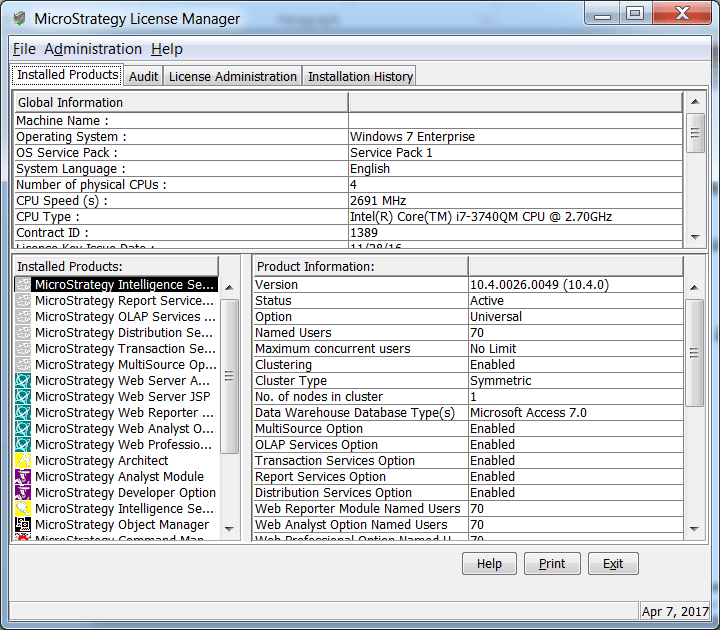
In both GUI mode and command line mode, License Manager allows the following:

  • Audit installed Strategy products
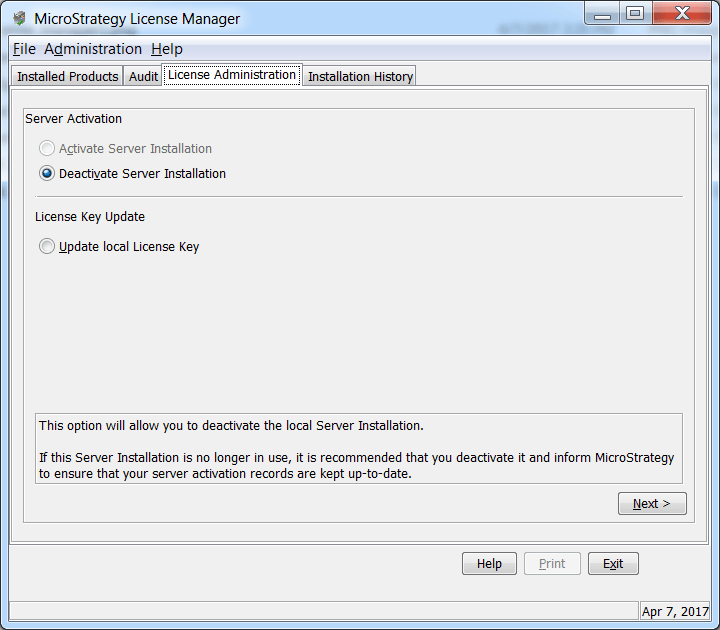
  • Request an Activation Code and activate the Strategy installation
  • Update license keys

Strategy licenses fall under two main categories:

  • Named User licenses: Governs the number of users that can access certain products or functionalities
  • CPU licenses: Governs the number and speed of CPUs that can be deployed for Strategy server usage

Strategy Server Activation technology is designed to assist customer organizations in license management and ensuring that the server products installed are authentic and have valid licenses. Server Activation simplifies administration by providing:
  1. A quick and easy process to activate Strategy Server Installations
  2. Detailed information of all Server Installations available to customers 24x7 on a secure website hosted at Strategy at https://licensing.microstrategy.com
  3.  Accelerated Tech Support case diagnosis by collecting commonly requested details on system configuration
ka02R000000kccgQAA_0EM440000002Inb.png
ka02R000000kccgQAA_0EM440000002Ing.png

Comment

0 comments

Details

Knowledge Article

Published:

April 7, 2017

Last Updated:

April 7, 2017