When running the "Delete unused managed objects" task together with some new managed object creation tasks, such as project duplication, import mstr file, import object package, create data import cube, and create bookmark, you may encounter an error regarding a missing object. The following error appears:
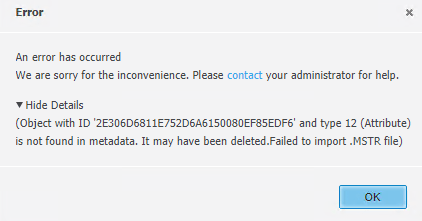
Managed objects will be generated automatically by the Intelligence Server in many cases, like when importing an mstr file, creating a data import/MDX cube, or creating an Freeform SQL report. If you run the “Delete Unused Managed Objects“ task at the same time, the newly created managed objects may be deleted unexpectedly. This is because the object that will use these managed objects have not be created ready yet. They will be treated as “unused“ and deleted by the “Delete unused managed objects“ task.
You should schedule the "Deleted unused managed objects" task at non-business hours. For example, it is highly suggested you schedule by the weekend or daily at 12:00 AM. Any object creation tasks happening at the same time will lead to unexpected object missing issues and an unhealthy metadata.
For details regarding managed objects, please see: Map Data to Non-Project Objects: Managed Objects.
For details regarding deleting unused managed objects, please see KB46453.
